

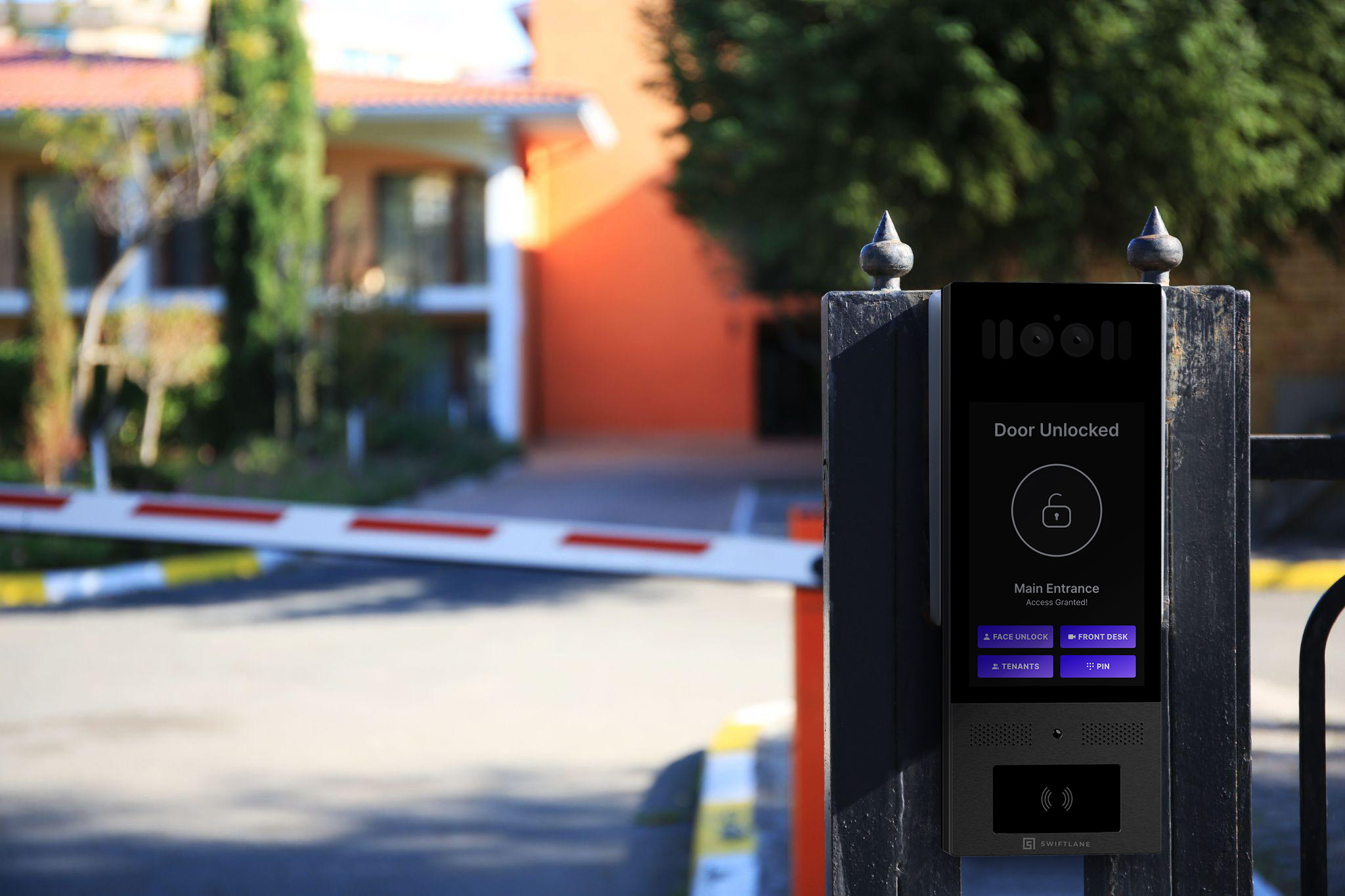
If you manage a gated community, HOA, apartment complex, or commercial property with a vehicle or pedestrian gate, you need a way to control who gets in, log who comes and goes, and keep the gate operating. That combination, community access control plus gate safety, is where most buying decisions run into trouble.
Access control and the gate operator are two different systems that have to work together, and only one of them is typically covered by the electronics vendor you’re buying from.
This guide covers gate access control systems for both vehicle and pedestrian gates, across residential communities, HOAs, commercial properties, and industrial facilities. We break down how these systems work, what separates access control from the physical gate hardware, the safety and compliance requirements, and a buyer’s checklist for choosing a system that fits your property.
Key Takeaways
- Access control and the gate operator are two separate systems, usually from two different manufacturers. Rarely does one vendor cover both.
- Gate operators are classified by use (Class I through IV); a residential-rated operator may not be appropriate or compliant at most HOA or gated communities.
- UL 325 governs gate operator safety and entrapment protection; ASTM F2200 governs gate construction. Both apply regardless of which access control vendor you choose.
- Gates crossing a fire apparatus access road need an approved emergency opening method, signed off by your local fire code official.
- Costs typically run $2,380 to $8,000 for gate hardware and installation, plus $3,000 to $5,000 per entry point for access control, plus ongoing software fees.
- Facial recognition credentials trigger state biometric privacy laws in several states; confirm consent and data handling before deploying.
Table of Contents
- What Is a Gate Access Control System?
- Who Needs Gate Access Control Systems?
- Benefits of Gate Access Control for Gated Communities
- How Gate Access Control Works
- Components: Access Control vs Operator vs. Safety Devices
- Safety and Compliance: What Buyers Are Liable to Verify
- Emergency Responder Access for Gated Communities
- Credential and Access Method Comparison
- Gate Access Control System Costs
- Buying Checklist: Questions with Decision Rules
- Swiftlane Gate Access Control: Fit and Limitations
- Which Setup Fits Your Property?
- FAQs
What Is a Gate Access Control System?
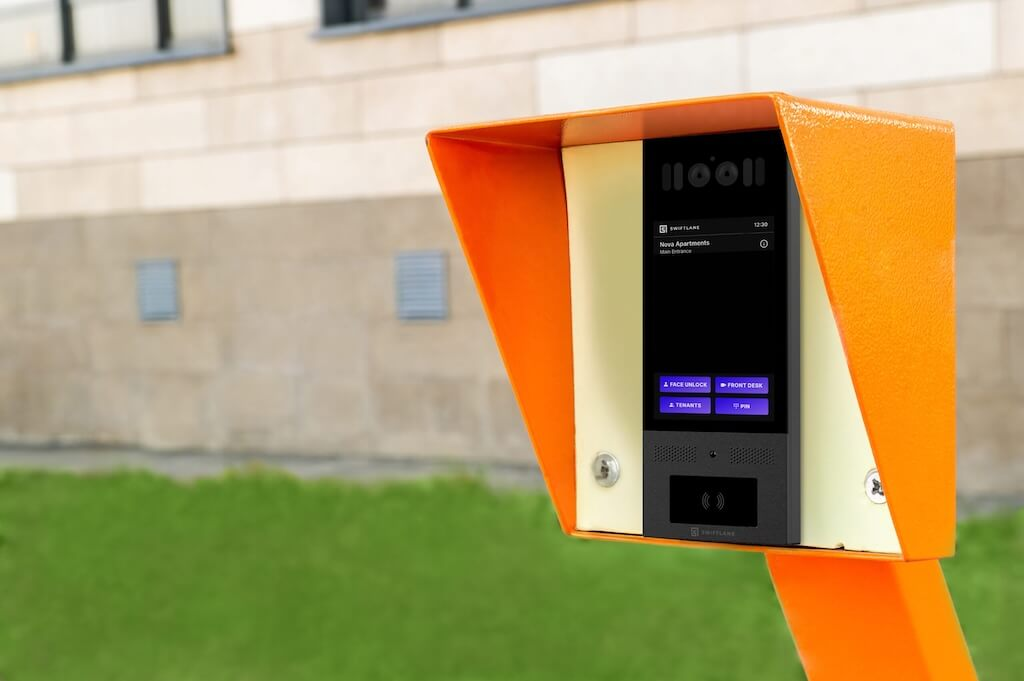
A gate access control system is a security setup that manages and restricts entry to a property through a vehicle gate, pedestrian gate, or both. Instead of a physical key, authorized people use a keycard, PIN code, mobile app, or biometric scan, and the system verifies that credential before allowing the gate to open.
Vehicle gates include sliding gates, swing gates, rotating arms, and garage doors that control car and truck traffic. These are common at gated communities, HOAs, and parking structures, where they manage entry for an entire neighborhood or facility.
Pedestrian gates control foot traffic into a walled or fenced property, or into specific outdoor areas like pools, tennis courts, or courtyards reserved for residents or members.
It’s worth separating two things that often get bundled together under a gate access control system: the access control layer, which decides who is allowed in, and the gate itself, meaning the physical barrier, motor, and safety hardware that actually moves.
A vendor selling you card readers, mobile credentials, and cloud software is solving the first problem. The gate operator, its entrapment protection sensors, and its compliance with safety standards like UL 325 are separate equipment, typically from a different manufacturer, and are governed by their own set of codes. The Components section below covers where that line falls in more detail. The Safety and Compliance section covers what you’re responsible for verifying on the safety side
Who Needs Gate Access Control Systems?
Gate access control systems serve a range of properties, but the underlying need is the same: controlling who can drive or walk past a perimeter.
Gated Communities and HOA Properties
Homeowners associations and gated neighborhoods use these systems to manage resident and guest vehicle entry, reduce cut-through traffic, and cut down on solicitors and package theft at the community’s perimeter rather than each door.
Apartment Complexes and Multifamily Properties
Property managers use gate access control to restrict vehicle and pedestrian entry to residents, staff, and approved visitors, often paired with a video intercom so front desk or remote staff can screen visitors before opening the gate.
Commercial Properties and Office Parks
Office parks, coworking campuses, and business centers use gated entry to manage employees and visitors across a shared property, especially where multiple tenants share a single perimeter.
Industrial and Warehouse Facilities
Gated entry restricts vehicle and pedestrian access to loading docks, yards, and restricted zones. It is common at construction sites where access needs to be logged for liability and insurance purposes.
Educational Institutions
Schools and universities use gate access control to manage vehicle and pedestrian entry to campus and to restrict specific areas, like faculty parking or research buildings, to authorized users only.
Hotels and Resorts
Gated entry manages vehicle access for guests and staff while keeping unauthorized vehicles off the property.
Benefits of Gate Access Control for Gated Communities
A gate access control system earns its cost through a few specific mechanisms:
- Controlled resident, vendor, and visitor access. Every entry is tied to a specific credential, so property managers know exactly who was let in and how.
- Fewer shared codes and lost credentials. Individual credentials, key fobs, mobile app access, or PINs can be revoked and reissued instantly when a resident moves out or a credential is lost, without rekeying the entire property.
- Remote administration. Property managers can grant, revoke, or schedule access from a phone or laptop, which matters most for management companies overseeing multiple gated properties from a single office.
- Audit logs for entries and exits. Every credential use is time-stamped and recorded, which supports incident investigations, insurance claims, and, for HOAs, board-level questions about who accessed the property and when.
- Faster, more flexible visitor and delivery workflows. Temporary access codes, remote gate release via video intercom, and mobile-based guest credentials reduce the friction of managing food delivery, dog walkers, and service providers without giving them a permanent credential.
How Gate Access Control Works
Gate access control involves several distinct layers working together. Understanding these layers matters because most vendors only sell and support some of them.
1. Credential and Identity Layer
A user presents a credential, a key fob, PIN, mobile app tap, or facial recognition scan, at a reader, keypad, or video intercom. This layer identifies who is requesting entry.
2. Access Control Panel and Cloud Software
The system checks the credential against its database of authorized users and permissions. This is where property managers set schedules, revoke lost credentials, and pull entry logs. Most modern systems run this layer in the cloud rather than on a local on-site server.
3. Relay and Output Signal
Once a credential is verified, the access control panel sends an electrical signal, a relay closure, to the gate operator, telling it to open. This is the handoff point between the access control system and the gate hardware, and it’s the last layer most access control vendors are responsible for.
4. Gate Operator and Motor
The physical motor and drive mechanism that actually moves the gate, swinging or sliding it open and closed. This is typically a separate piece of equipment from a separate manufacturer, and it operates under its own safety standard, UL 325.
5. Safety Devices and Entrapment Operation
Photo eyes, sensing edges, and other monitored safety devices detect a person, vehicle, or obstruction in the gate’s path and stop or reverse its motion. UL 325 requires these devices for automated gate operators, and they are independent of the access control credential system. A gate can be UL 325 compliant even if its access control software has nothing to do with how the entrapment protection works.
6. Emergency Override
Fire and emergency personnel need a way to open the gate that doesn’t depend on the access control system. Whether that’s a Knox key switch, radio-activated receivers and/or siren/strobe-activated emergency-opening devices where accepted by the AHJ, or manual release mechanisms.
The throughline: access control decides who is allowed in. The gate operator and its safety devices determine whether and how the gate can move safely, regardless of who asked for entry. A vendor issue in layer 1 or 2 doesn’t excuse a gate that fails to meet UL 325 in layer 4 or 5, and vice versa.
Components: Access Control vs Operator vs Safety Devices
One of the most common points of confusion for buyers is assuming that a single vendor, or a single warranty, covers the entire gate system. In practice, a gate access control setup is really two separate scopes of equipment, usually from two separate manufacturers.
Included in the access control system:
- Reader, keypad, intercom: The hardware that accepts a credential, RFID, PIN, mobile tap, or facial recognition scan.
- Controller: The device that processes the credential and communicates with the cloud software.
- Credentials: Key fobs, mobile app licenses, PIN codes, or biometric enrollment data tied to individual users.
- Cloud-based or on-site software: Manages permissions, schedules, and access logs. This is what property managers actually log into.
- Connectivity: Wi-Fi, Ethernet, or cellular hardware that lets the reader and controller communicate with the cloud software.
Outside the access control system, part of the gate itself:
- Gate operator: The motor and drive mechanism, chain, arm, or slide drive that physically moves the gate. Governed by UL 325.
- Vehicle detection loops: In-ground sensors that detect a vehicle waiting at the gate or positioned in its swing path, used to trigger opening or to prevent the gate from closing on a vehicle.
- Photo eyes: Infrared beam sensors that detect an obstruction in the gate’s path and stop or reverse motion, a required entrapment protection device under UL 325.
- Contact edges (sensing edges): Pressure-sensitive strips on the leading edge of a gate that stop movement on contact, another UL 325 entrapment protection device.
- Gate construction and hardware: The physical gate panel, hinges, track, and frame, built to ASTM F2200 standards for automated gate construction.
- Emergency responder hardware: Knox key switches, radio-controlled strobe receivers, or manual release mechanisms that let fire and emergency personnel open the gate independent of the access control credential system.
Why this split matters in practice: an access control vendor can supply a fully functional, well-reviewed credential and software system that has nothing to do with whether the gate operator has working entrapment protection, or whether the emergency responder hardware is installed correctly.
Buyers must verify both scopes separately, and neither vendor can be assumed to have checked the other’s work. The Safety and Compliance section covers what buyers must confirm on the gate operator and safety side.
Safety and Compliance: What Buyers Are Liable to Verify
Gate Operator Class
Automated gate operators are rated by class, and the class determines what safety and construction requirements apply. This matters because a gate operator rated for a single-family driveway is not automatically safe or legal to install at a gated community or apartment complex.
According to DASMA Technical Data Sheet 353, gate operators are classified as follows:
- Class I: Residential, single-family driveway use only.
- Class II: Commercial or general access use, including “a multi-family housing unit of five or more single-family units,” hotels, garages, retail, or buildings accessible by or servicing the general public.
- Class III: Industrial use, restricted to locations not accessible to the general public.
- Class IV: Guard-controlled access, such as airports and government facilities with on-site personnel monitoring entry.
For most gated communities, HOAs with five or more units, and apartment complexes, this means a Class I residential operator is the wrong equipment, even if it physically fits the gate opening. Confirm the operator’s class rating with the installer or manufacturer before purchase, and don’t assume a lower-cost Class I unit is a safe substitute at a multifamily property.
UL 325 Entrapment Protection Requirements
UL 325 governs automated gate operators, and its core requirement is entrapment protection: the gate must detect a person, vehicle, or object in its path and stop or reverse before causing injury.
Per DASMA Technical Data Sheet 353, UL 325 requires two independent means of entrapment protection on each vehicular gate operator, covering each entrapment zone and direction of travel, typically a combination like photo eyes and contact edges rather than a single device.
Confirm the specific configuration against your installer’s or manufacturer’s documentation, since exact terminology and placement requirements have been updated across UL 325 revisions.
Per Intertek, UL 325 updates removed audible alarms as a standalone entrapment-protection option; monitored physical detection devices are required instead. If evaluating an older or resold gate operator, confirm it meets current requirements rather than assuming it was compliant when installed.
Entrapment protection is a property of the gate operator and its safety devices, not something an access control vendor’s software can add. Ask your installer directly which two independent means are installed on each gate.
Sensor Monitoring
Entrapment protection sensors, photo eyes, and contact edges have to be monitored, meaning the gate operator continuously checks that they’re connected and functioning. If a sensor fails or is disconnected, a monitored system prevents the gate from operating until it’s fixed, rather than running unsafely with dead safety hardware.
This matters most at properties where sensors are exposed to weather, debris, or vandalism, common at gated communities with outdoor vehicle entries. A photo eye knocked out of alignment, or a severed sensing edge wire should stop the gate, not just go unnoticed. Confirm with your installer that entrapment protection devices are monitored, not just installed, and ask how you’d know if one failed.
ASTM F2200 Construction Checks
ASTM F2200 governs the construction of automated vehicular gates, separate from UL 325, which governs the operator. It covers gate design and structural requirements meant to reduce entrapment and crush points, spacing between gate bars, protection near pinch points, and ground clearance. Pedestrian gate construction generally falls under separate local building code requirements rather than F2200 itself. Don’t assume F2200 covers a pedestrian gate the same way it covers a vehicular one.
A gate can have a fully UL 325 compliant operator and still fail to meet ASTM F2200 if the gate panel itself has unsafe gaps or exposed pinch points. Ask whether the gate structure, not just the operator, was built or inspected to ASTM F2200.
Access-Control Vendor Does Not Make the Gate Code-Compliant
A well-reviewed access control system does not make your gate safe or code-compliant. Access control vendors handle credentials, readers, and software, not the operator’s UL 325 compliance, the gate’s ASTM F2200 construction, or emergency responder access. Those fall under the gate operator manufacturer, your installer, and your local fire code official.
Before purchase, confirm in writing who owns each piece. A verbal assurance from one vendor doesn’t cover scope they don’t own.
Emergency Responder Access for Gated Communities
A locked gate should not slow down fire or emergency response. Two code provisions address this, and buyers must ensure their installed gate meets both.
Per IFC Section 503.6, security gates installed across a fire apparatus access road must be approved by the fire code official and must have an approved means of emergency operation. Additionally, emergency operation must be maintained as functional at all times. Electric gate operators must be listed to UL 325, and automated gates must be built to ASTM F2200.
Per IFC Appendix D103.5, where adopted, Appendix D may add more specific requirements, commonly including a means for fire department personnel to open the gate, approved by the fire code official. Confirm with your AHJ whether it applies in your jurisdiction and in what form.
Common approved emergency opening methods include Knox key switches, radio-activated receivers and/or siren/strobe-activated emergency-opening devices where accepted by the AHJ, and manual mechanical releases.
In practice, this means your fire code official has to sign off on the emergency access method itself, not just confirm the gate has one. Before installation, ask your installer which emergency opening method they’re proposing. Confirm directly with your local fire marshal or AHJ that it will be approved for your property.
Credential and Access Method Comparison
Several credential methods are available for gate access control. Not every method suits every property, and cost, convenience, and security trade-offs differ significantly.
| Credential Method | Best For | Typical Cost / Admin Burden | Reissue Burden | Vehicle vs. Pedestrian | Failure Mode / Caveat | Available from Swiftlane |
| Key fobs / RFID cards | Small-to-mid properties wanting simple, low-cost credentials | Low hardware cost; each lost fob costs a replacement unit | Moderate, physical reissue required per lost fob | Both | Lost or cloned fobs grant access until deactivated | Yes |
| Keypad PIN codes | Low-turnover properties, secondary/backup access | Very low cost, no per-user hardware | Low for individual codes, high if a shared code leaks and must be reset property-wide | Both | Shared codes spread informally and are hard to revoke fully | Yes |
| Mobile app access | Tech-forward residents/tenants wanting keyless entry | Low incremental cost per user once platform is in place | Very low, revoke remotely in software | Both | Dependent on phone battery, app functionality, and connectivity | Yes |
| Facial recognition | High-traffic entries wanting hands-free, keyless access | Higher upfront hardware cost per reader | Very low, no physical credential to reissue | Primarily pedestrian | Subject to state biometric privacy law compliance; see note below | Yes |
| RFID windshield stickers | Vehicle gates wanting automatic hands-free entry | Low per-sticker cost, cheaper than fobs at scale | Moderate, physical sticker must be reissued if windshield is replaced | Vehicle only | Sticker misapplication or windshield replacement can cause missed reads | Yes |
| License plate recognition (LPR) | Vehicle gates wanting to skip physical credentials entirely | Higher upfront camera/software cost | Very low, no credential to reissue at all | Vehicle only | Misreads on dirty, damaged, or non-standard plates; lighting-dependent | No |
RFID windshield tags and LPR solve different vehicle-access problems: one relies on a physical credential detected at close range, the other reads the plate itself. Neither should be treated as a universal replacement for the other, and many properties use one as a primary method and the other as backup or visitor-lane coverage.
Facial recognition deserves its own note. Because it involves biometric data, it’s subject to state biometric privacy laws in several jurisdictions, including Illinois’ Biometric Information Privacy Act, Texas’ Capture or Use of Biometric Identifier Act, and Washington’s RCW 19.375. Confirm with your vendor how biometric data is stored, retained, and consented to, and whether your state has specific disclosure requirements.
Gate Access Control System Costs
Costs break into two categories: gate hardware and installation, and the access control system itself. These are planning ranges, not bids. Gate condition, trenching, power access, cellular/networking requirements, AHJ or fire code requirements, and number of lanes can materially change totals. Actual costs vary by region and property specifics.
Per Angi, automatic gate installation typically runs $2,380 to $8,000 (avg. ~$4,000), plus $50 to $300 in permit fees.
Per BTI Group, access control hardware, installation, and first-year licensing average $3,000 to $5,000 per entry point, with cloud subscriptions running $20 to $30 per door, per month.
For multi-entrance properties, Swiftlane’s own gate intercom cost breakdown puts a two-entrance setup at $4,000 to $12,000 in hardware, plus $500 to $2,500 in installation labor.
Safety and emergency access hardware is often left out of cost guides entirely, and it shouldn’t be, since it’s not optional. Based on current retailer listings:
- Photo eyes: roughly $80 to $300 per unit (Elite Gates), before installation labor. Most gates need at least one pair.
- Vehicle detection loops: roughly $80 to $500 per detector unit (Elite Gates), not including wire loop installation and trenching, which adds meaningfully to the total.
- Knox key switches: roughly $215 to $300 per unit (Fire Alarm), and note that Knox products are tied to your specific jurisdiction. Your local fire department has to approve the model before you order.
- Radio- or strobe-activated emergency access devices: roughly $300 to $1,280 depending on configuration (Elite Gates, Shop Gate Openers).
These are hardware costs only. Installation labor for wiring, trenching, and commissioning adds to each of these and varies by site.
Ask any vendor for an itemized quote separating gate hardware, access control hardware, entrapment protection and emergency access devices, labor, permits, and recurring fees, so you can compare quotes on an equal basis and confirm nothing required by Safety and Compliance or Emergency Responder Access has been left out of the bid.
Buying Checklist: Questions with Decision Rules
| Question | Decision Rule |
| Does it integrate with existing CCTV? | If cameras are already installed, confirm the access control system can trigger or sync with them before buying a separate system. |
| Fail-safe or fail-secure? | Let your fire code official decide based on whether the gate sits on a life-safety circuit, not vendor default settings. |
| Remote, cloud-based management? | Required if one team manages multiple properties; confirm the subscription fee upfront, not after installation. |
| Can it scale to more gates or entry points? | Ask what adding a gate costs, hardware and license, before you need it, not after. |
| Is it easy for residents and staff to use? | Check the vendor’s app store rating directly; don’t take “user-friendly” at the vendor’s word. |
| Will hardware survive outdoor conditions? | Look for IP65+ for weather exposure and IK08+ for impact resistance on any outdoor-mounted device. |
| What happens during a power outage? | Confirm battery backup duration and whether a manual mechanical override exists. |
| Can visitors get temporary access? | Confirm the system supports time-limited codes or video-verified remote release, not just permanent credentials. |
| Does it comply with local data and privacy laws? | For biometric credentials specifically, confirm handling against the statutes covered in Credential and Access Method Comparison. |
Swiftlane Gate Access Control: Fit and Limitations


Swiftlane provides access control hardware and software for pedestrian and vehicle gates, including card/fob readers, keypad entry, mobile app credentials, facial recognition, RFID windshield tags, and video intercoms that let staff remotely screen and release visitors.
Where it fits: properties that want cloud-managed access with remote visitor screening, especially communities already using or considering a video intercom at the gate. Facial recognition, mobile credentials, and windshield RFID tags reduce dependence on physical fobs.
Where it doesn’t: Swiftlane supplies the access control layer, not the gate operator, safety devices, or gate construction. A separate gate operator manufacturer and installer remains responsible for those items, per the Components, Safety and Compliance, and Emergency Responder Access sections. Properties needing license plate recognition as their primary credential method should confirm current support directly, as it isn’t part of Swiftlane’s standard offering.
Learn more on Swiftlane’s vehicle access control page.
Which Setup Fits Your Property?
| Property Type | Likely Setup |
| Small HOA, single entrance | Keypad or fob entry, basic gate operator, Class II rated if 5+ units |
| Large gated community, multiple entrances | Cloud-managed access control with mobile credentials, video intercom for visitor screening, Class II operators at each entrance |
| Apartment/multifamily complex | Video intercom with facial recognition or mobile credentials, remote release for staff, integrated with existing CCTV |
| Commercial office park or campus | Fob/card access tied to employee directory, visitor management for guests, scalable across multiple buildings |
| Industrial or warehouse facility | Vehicle gate with credential or LPR access, Class III operator, logging for liability and insurance |
| Guard-staffed property | Class IV operator, guard-controlled override alongside any credential system |
Whatever the property type, confirm gate operator class, entrapment protection, and emergency responder access separately from the access control vendor decision.
FAQs
What is gated access?
Gated access refers to any entry point, vehicle or pedestrian, controlled by a locked gate paired with a credential system, rather than an open or unmonitored entrance.
What is a community access control system?
A community access control system manages entry across an entire gated neighborhood, HOA, or multifamily property, typically covering shared perimeter gates rather than a single door.
Can I keep an existing gate and only replace the access control?
Often yes. You can typically replace the access control layer, readers, credentials, and software independently of the gate operator, as long as the operator has a compatible relay input. Confirm compatibility with your installer before purchasing.
What stops a car from tailgating behind an authorized vehicle?
Vehicle loop detectors can be configured to require the gate to close fully between entries, and some properties add a second gate or barrier arm specifically to prevent tailgating. No credential system alone prevents tailgating; it’s a gate operation and layout question.
What’s the difference between a gate access control system and a gate operator?
Access control decides who is allowed in: readers, credentials, and software. The gate operator is the motor that physically moves the gate. They’re typically sold by different manufacturers and governed by different standards.
Do I need a permit to install a gate access control system?
Most municipalities require a permit if the installation involves electrical work or structural changes to the gate itself. Permit fees typically run $50 to $300; confirm with your local building department before installation.
What is UL 325 and why does it matter?
UL 325 is the safety standard governing automated gate operators and covers entrapment protection requirements. A gate operator that isn’t UL 325 listed may not meet code or insurance requirements at your property.
Does my gate need to let fire trucks in during an emergency?
Yes, if it crosses a fire apparatus access road. Per IFC 503.6, the gate needs an approved emergency opening method, and your fire code official has to sign off on it.
Can I use facial recognition for gate access legally?
In most states, yes, but several states, including Illinois, Texas, and Washington, have specific biometric privacy laws governing consent and data handling. Confirm compliance with your vendor before deploying facial recognition.
Should my gate be fail-safe or fail-secure?
It depends on whether the gate sits on a life-safety circuit. This is a decision for your local fire code official, not a default vendor setting.
How much does a gate access control system cost?
Gate hardware and installation typically run $2,380 to $8,000. Access control hardware and software licensing typically adds $3,000 to $5,000 per entry point, plus $20 to $30 per door, per month in ongoing subscription fees.
What’s the difference between RFID windshield stickers and license plate recognition?
RFID stickers use a physical tag detected at the gate; LPR uses a camera to read the plate directly. Both remain in active use, and neither has clearly replaced the other.
Can one vendor handle both access control and the physical gate?
Sometimes, but it’s not guaranteed. Confirm in writing who’s responsible for the gate operator’s UL 325 compliance, the gate’s ASTM F2200 construction, and emergency responder access, since these often fall outside an access control vendor’s scope.
Get a Quote!
Reach out to Swiftlane for a free consultation or quote for upgrading your gated entry system


