

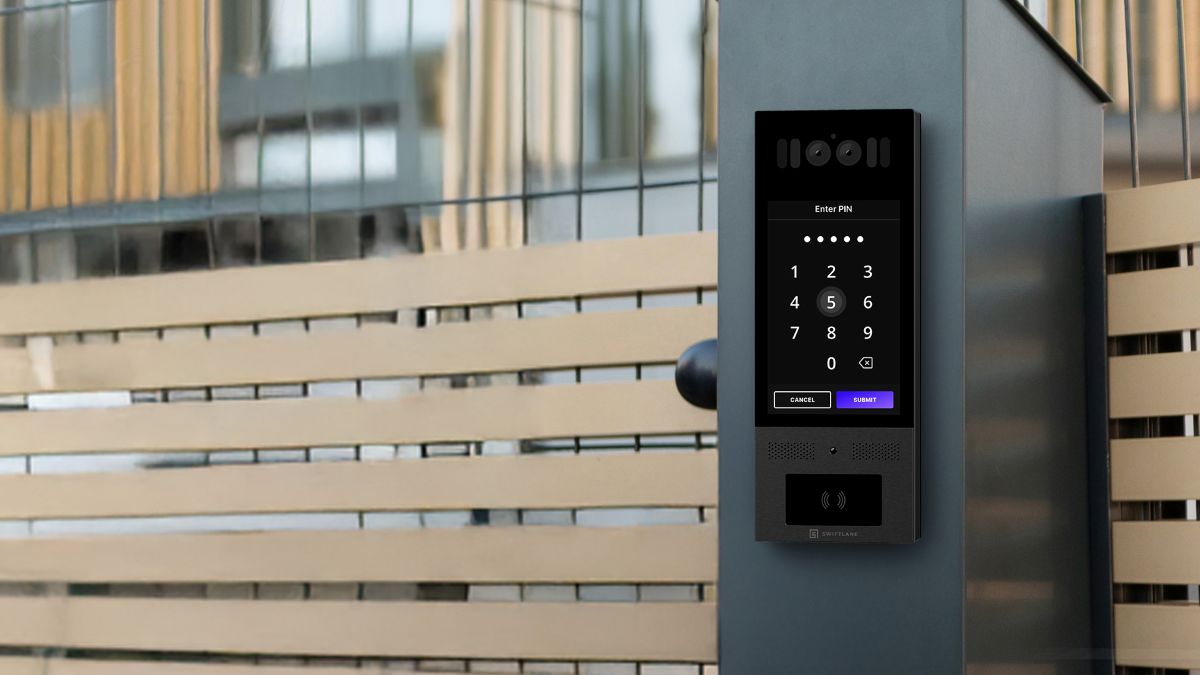
A residential gate access control system manages who can enter an HOA, gated community, apartment complex, condo, or single-family property through vehicle and pedestrian gates, verifying identity using credentials such as mobile apps, keypads, fobs, video intercom calls, or license plate recognition before granting entry.
Best fit by property type: HOAs and gated communities do best with fob or LPR for residents paired with video intercom for visitor verification. Multifamily properties get the most value from mobile credentials plus video intercom for guests and deliveries. Single-family gates typically need only a keypad or mobile app.
Typical first-year cost: A small HOA with one vehicle gate and one pedestrian gate replacing a legacy telephone entry system typically budgets $8,000–$15,000 for hardware, installation, and 12 months of software. A mid-size multifamily property adding video intercom and package access typically runs $13,000–$25,000.
Five things to weigh before choosing a system:
- Resident convenience — how residents unlock the gate day to day, and whether it requires a smartphone
- Visitor access — how guests, deliveries, and vendors get in without a permanent credential
- Emergency access — how the system behaves for fire and emergency vehicles, and during outages
- Admin control — whether property staff can issue, modify, and revoke credentials remotely
- Audit logs — whether every entry event produces a searchable record
Book a demo to see how Swiftlane handles resident, visitor, and vendor access on one platform.
How We Researched This Guide
This guide draws on cost data from Angi, Lock and Tech, and the CountBricks Access Control Cost Guide; safety standards published by UL and ASTM International; fire and life-safety code provisions from the International Fire Code; and package-theft data from the U.S. Postal Service Office of Inspector General. Where we describe Swiftlane’s own product behavior, we’ve noted that explicitly. Compliance requirements — UL 325, ASTM F2200, and AHJ coordination — vary by jurisdiction; confirm specifics with your local fire marshal or authority having jurisdiction before finalizing a system design.
Key Takeaways
- Residential gate access control systems manage entry via credentials such as mobile apps, keypads, fobs, video intercoms, and license plate recognition.
- The right system depends on the community type: HOAs, multifamily properties, condos, and single-family gated communities each have different resident profiles and workflows.
- Plan access by user type: residents, guests, vendors, deliveries, and emergency vehicles each need different credentials, expiration rules, and audit trails.
- Emergency and life-safety requirements — UL 325, ASTM F2200, AHJ coordination — vary by jurisdiction and should be confirmed locally.
- Hardware, installation, and software fees vary based on gate type, wiring, connectivity, and number of entry points.
- Cloud-based systems let property teams manage credentials and review logs remotely, without on-site reprogramming.
Table of Contents
- What Is a Residential Gate Access Control System?
- Best Gate Access Control System by Community Type
- How to Choose the Right System
- Buying Guide: What to Look For
- Types of Gate Access Control Systems
- Staffed Guardhouse vs. Unmanned Gates: What Changes in the Workflow
- Gate Access Workflows Property Managers Should Plan For
- Emergency Access, Safety, and Compliance Checklist
- Installation and Commissioning Checklist
- Pricing and Costs
- Comparing Your Options
- Common Mistakes to Avoid
- How Swiftlane Works for Gate Access Control
- FAQs
What Is Residential Gate Access Control?


A residential gate access control system is the combination of hardware and software that verifies identity before opening a vehicle or pedestrian gate, restricting entry to authorized residents, visitors, and service providers without relying on physical keys, shared remotes, or manual oversight.
It’s a distinct layer from the gate itself. A gate operator is the motor or mechanism that physically swings, slides, or lifts the gate. An access control system is the decision layer that sits in front of it: it identifies who’s requesting entry, checks whether they’re authorized, and tells the gate operator whether to open. A property can have a working gate operator and still have no real access control if entry relies on a shared code or a physical key with no record of who used it.
Core components:
- Gate operator — the motor or hardware that physically opens and closes the gate
- Access reader or intercom — what a resident or visitor interacts with: a keypad, card reader, or video intercom panel
- Controller or relay — the decision hardware that checks a credential against permissions and signals the gate operator to act
- Credential — the mobile app, PIN, fob, card, or license plate that identifies the person requesting entry
- Cloud or admin software — where property teams manage users, set permissions, and review activity
- Audit log — the record of every entry event, used for security investigations, delivery disputes, and HOA accountability
Best Gate Access Control System by Community Type
More than a third of U.S. housing (35.2%) is in a community association, according to the Foundation for Community Association Research’s 2024 Statistical Review. The right setup depends more on property type than on any single feature. HOA boards, multifamily operators, condo associations, and single-family homeowners each have different resident profiles, approval processes, and access workflows — the table below maps the best-fit approach for each.
| Property type | Best fit | Why | Avoid |
| HOA or gated community | Fob or LPR for residents, video intercom for visitors, temporary PINs for vendors | Accommodates residents less comfortable with smartphone-based access while still giving the board an audit trail | Shared static PIN as the only access method |
| Multifamily apartment | Mobile credentials for residents, video intercom for visitors and deliveries, temporary PINs for vendors | Matches higher smartphone adoption and higher resident turnover; reduces access-related calls to staff | Remote-only or unmanaged keypad with no revocation workflow |
| Condo community | Mobile app or intercom for residents, fob/card as backup | Covers mixed resident preferences and age ranges without forcing one credential type | A single credential type with no backup option |
| Single-family gate | Keypad or mobile app for residents, remote smartphone unlock for guests and deliveries | Lower complexity fits the smaller number of daily access scenarios | Enterprise-grade systems built for multi-gate, multi-tenant properties |
| Staffed guardhouse | Guard-managed workflow with resident/guest preauthorization | A guard can visually verify and handle exceptions; the system’s job is record-keeping, not decision-making | Paper logs with no digital audit trail |
| Vendor-heavy property | Time-limited PINs, scheduled access windows, audit logs | Controls landscaping, cleaning, and maintenance access without permanent codes | Reusable vendor codes that never expire |
Multifamily properties managing this at scale: Grand Castle Apartments upgraded gate and property-wide access across a 522-unit community in Michigan, replacing an unreliable legacy system across 60+ access points. Read the full story.
How to Choose the Right System
No single system is the right fit for every community. These five questions will help narrow the decision:
- Does your community need video verification at the gate? If yes, prioritize systems with built-in video intercom over a bolted-on add-on. See the Buying Guide below for what to compare.
- How frequently does access change? Communities with frequent move-ins and move-outs, and rotating service providers, need cloud-based credential management.
- What happens when the internet goes down? Any system being evaluated should have a documented offline access policy, such as cached credentials, onboard memory, or battery backup.
- What are the visitor and delivery workflows? If delivery access and guest management are daily operational priorities, look for systems with dedicated delivery PINs, QR codes, or temporary credential tools built into the platform.
- What’s the total cost of ownership? Monthly software fees, installation complexity, and ongoing support costs vary significantly. A lower hardware price can be offset quickly by higher per-door software fees or a difficult retrofit.
Buying Guide: What to Look For
Choose based on daily reality: peak-hour throughput, outages, visitor volume, and how often access changes. These are the criteria that matter most.
Type of access control system. The access method determines how residents, guests, and service providers interact with the gate daily. Most communities need a primary method for residents and a secondary method for visitors and temporary access.
Remote access and cloud management. The ability to issue, modify, and revoke credentials without being on-site is one of the most significant differences between modern and legacy systems. For properties with limited staff coverage, remote management is a practical requirement.
Video intercom integration. Visual verification before entry reduces reliance on shared codes and gives communities more control over who enters. When video intercom runs on the same platform as credential management, rather than through a separate integration, there’s one dashboard for logs, one vendor to call if something breaks, and no risk of the two systems falling out of sync. If you’re comparing a bolted-on option, ask the vendor how the two systems share data and who’s responsible for support if either side fails.
Offline behavior. A gate that fails open during an outage is a security risk; one that fails closed is a lockout. Confirm how any system handles connectivity loss before committing, such as cached credentials, onboard memory, or battery backup, and have the vendor document this information.
Audit logs and incident response. Every entry event should produce a searchable, exportable record. Logs matter for security investigations, delivery confirmations, resident disputes, and HOA accountability in routine operations.
Anti-passback and tailgating mitigation. Anti-passback rules prevent a single credential from being used to enter twice without an exit in between. Stopping a resident from handing a fob or sharing a mobile credential back to someone else waiting at the gate. This only works against credential reuse; it has nothing to check when no credential is presented at all.
Tailgating mitigation. Tailgating, a second vehicle following an authorized car through an open gate before it closes, presents no credential, so anti-passback rules don’t apply. The real mitigations are single-vehicle loop detection (closing the gate as soon as one vehicle clears the sensor), tuned gate cycle timing (closing faster once entry is confirmed), and video verification to catch and review incidents after the fact. access.
Ease of use and resident onboarding. A system residents find confusing gets worked around. Look for platforms that support self-service onboarding, bulk enrollment, and automated offboarding tied to lease management.
Compatibility and reliability. Check that the system works with existing gate operators and property management platforms before purchase. Review uptime figures and support response times. A gate that fails during morning rush quickly becomes the property manager’s most urgent problem.
Types of Gate Access Control Systems
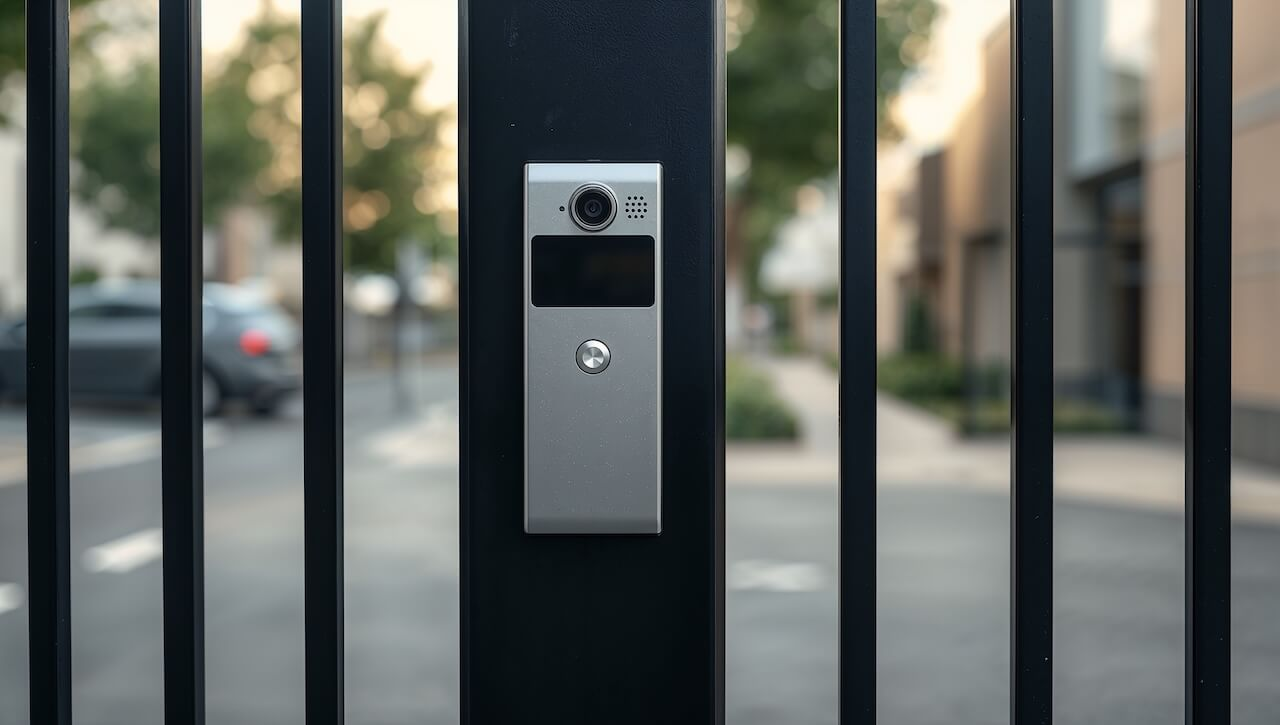
Each access method involves a different tradeoff between security, convenience, and ongoing management effort. Most communities end up combining two or more methods to handle residents, guests, and service providers separately.
Keypad / PIN Code Entry
Users enter a numeric code to open the gate.
- Best use case: smaller communities, secondary pedestrian gates, delivery access points
- Pros: low cost, easy to deploy without significant infrastructure changes
- Cons: codes are easy to share and hard to track once shared
- Security risk: static codes that stay active after a resident moves out, or circulate beyond current residents
- Admin burden: low day-to-day, but requires active auditing to catch stale codes
- Typical buyer fit: budget-constrained properties or secondary access points, not a sole credential for a whole community
Telephone Entry Systems
Visitors call a resident directly from the gate panel; the resident opens the gate remotely by pressing a button on their phone.
- Best use case: gated communities and apartment complexes where resident-controlled visitor access is the priority and visual verification isn’t required
- Pros: simple resident-side workflow, no app required
- Cons: older landline-based systems lack cloud management and video
- Security risk: no visual verification of who’s at the gate on legacy models
- Admin burden: moderate — cellular/internet-connected versions add cloud management, but older units require on-site changes
- Typical buyer fit: communities prioritizing simplicity over visual verification
Video Intercom
A two-way audio and video connection between the gate and a resident or property manager before access is granted.
- Best use case: managing unexpected visitors, verifying deliveries, facilitating service provider check-ins
- Pros: visual verification, strong visitor control, reduces reliance on shared codes
- Cons: can slow peak-traffic entry if used as the sole access method for every resident
- Security risk: low, when paired with faster resident credentials
- Admin burden: moderate — works best layered on top of mobile or fob credentials for residents, reserved for guests and deliveries
- Typical buyer fit: any community where visitor and delivery verification is a daily operational priority
Mobile Credentials
Residents unlock the gate via a smartphone app, either through a local Bluetooth or NFC handshake directly with the reader, or by triggering a remote unlock over cellular or Wi-Fi through the cloud.
- Best use case: modern multifamily properties and HOAs reducing physical credentialing overhead
- Pros: no physical credentials to lose or reissue, permissions update remotely in real time
- Cons: requires every resident to have a compatible smartphone; cellular/cloud unlock also depends on network connectivity at the gate and on the phone
- Security risk: low — harder to duplicate or share than a PIN or physical fob
- Admin burden: low once deployed — a backup method (PIN or fob) is still needed for guests and residents without smartphones
- Typical buyer fit: properties with high smartphone adoption wanting to cut physical credential management
Key Fobs and Access Cards
A physical token that triggers the gate when presented to a reader.
- Best use case: communities that want a straightforward physical credential without requiring smartphone adoption
- Pros: familiar, reliable, widely understood across resident demographics
- Cons: lost or stolen fobs must be deactivated and replaced
- Security risk: moderate — a lost fob is a live credential until it’s manually deactivated
- Admin burden: can become demanding at scale without a cloud-based system to track and revoke credentials
- Typical buyer fit: mixed-age or older resident populations
License Plate Recognition (LPR)
Cameras read vehicle license plates and open the gate automatically for registered vehicles.
- Best use case: high-traffic residential communities, parking structures, HOAs needing hands-free vehicle entry
- Pros: fastest hands-free entry method available for vehicle gates
- Cons: requires careful camera placement and clean, current plate data
- Security risk: moderate — rental cars, new vehicles, and guest vehicles need a separate handling plan
- Admin burden: ongoing plate-data maintenance
- Typical buyer fit: resident-vehicle entry paired with a separate visitor/delivery method, not a standalone solution
| Access method | Best for | Pros | Key consideration |
| Keypad/PIN | Smaller communities, delivery access | Low cost, easy to deploy | Codes can be shared; requires active management |
| Telephone entry | Gated communities, apartments | Resident-controlled visitor access | Older systems lack video and cloud management |
| Video intercom | Visitor and delivery verification | Visual verification, strong visitor control | Can slow peak traffic if used for all entries |
| Mobile credentials | Modern multifamily, HOAs | No physical credentials, remote management | Requires smartphone adoption |
| Key fobs/cards | Mixed-age communities | Familiar, reliable across demographics | Lost credentials require replacement; admin overhead |
| License plate recognition | High-traffic vehicle gates | Hands-free, fast resident entry | Needs clean data and a separate visitor method |
Staffed Guardhouse vs. Unmanned Gates: What Changes in the Workflow
Whether a gate is staffed or unmanned affects which access control features matter most and how the system needs to be configured.
Staffed guardhouse: A guard on-site can visually verify visitors, handle exceptions, and manually manage delivery access. In this setup, the access control system primarily serves as a record-keeping and credential management layer. The most important features are audit logging, guard-issued credential tools, and integration with visitor management software.
Unmanned gate: With no staff on site, the system must handle every scenario automatically or via remote resident action. Video intercom becomes essential for visitor verification. Temporary PINs and QR codes handle delivery and vendor access. Clear offline behavior and fail-safe protocols matter more because there is no one to intervene if the system behaves unexpectedly.
Most residential communities operate unmanned gates, which is why cloud management, remote credential control, and video intercom tend to weigh heavily in the buying decision.
Gate Access Workflows Property Managers Should Plan For
The methods above are the credentials. This is where they actually get used, and where most access failures happen, not in the technology, but in the handoff between one workflow and the next. Package theft alone illustrates the stakes: at least 58 million packages were stolen in the U.S. in 2024, totaling roughly $16 billion in losses, according to the USPS Office of Inspector General.
A complete gate access plan accounts for each user type separately rather than treating “access” as a single, undifferentiated policy.
| User/Scenario | Recommended access method | Expiration needed? | Audit trail needed? | Common failure mode |
| Resident | Mobile credential with fob/card backup | No | Yes | Lost credential or phone changes without a backup method in place |
| Guest | Temporary PIN or video intercom call | Yes | Yes | Codes shared and reused past their intended window |
| Package delivery | Scheduled vendor PIN or intercom call flow | Yes | Yes | Driver can’t reach the resident, package left outside the gate |
| Recurring vendor (landscaping, cleaning) | Time-bound credential | Yes | Yes | Old vendor code stays active after the contract ends |
| Rideshare/food delivery | Resident-approved temporary access | Yes | Yes or optional | Tailgating, or a resident sharing their own code instead of issuing a temporary one |
| Emergency vehicle | Approved emergency override | No | Yes, where supported | Override untested or not coordinated with the local fire department |
| Move-in / move-out | Batch credential issue and revoke | Yes | Yes | Former resident’s credential stays active after move-out |
This is the gap most legacy systems leave open: a keypad or fob system can issue a credential, but it usually can’t tell you when to expire it or what to do differently for a rideshare driver versus a recurring landscaper. Cloud-based systems that separate these scenarios by policy, rather than issuing every credential the same way, close most of the failure modes in this table.
Emergency Access, Safety, and Compliance Checklist
Gate access control systems have to work for daily entry, and for the one day something goes wrong. Emergency and life-safety requirements vary by jurisdiction, so treat everything in this section as a starting point for a conversation with your local AHJ (authority having jurisdiction) or fire marshal, not a substitute for it.
Gate Construction and Operator Safety Standards
Two standards come up in almost every gate access conversation, and they cover different things:
- UL 325 governs the gate operator itself — the electromechanical device that moves the gate — including entrapment protection, safety edges, and photo-eye sensors. Confirm any operator being installed or upgraded is UL 325-compliant.
- ASTM F2200 governs the gate’s physical construction—sliding, swinging, and vertical-lift gates—so the gate itself doesn’t create entrapment or crush hazards independent of the operator. ASTM F2200-24, Standard Specification for Automated Vehicular Gate Construction, works alongside UL 325: F2200 covers how the gate is built, UL 325 covers how it’s automated.
Emergency Vehicle Access
Most jurisdictions require gated communities to provide emergency vehicle access. Under IFC Section 503.6, Fire Apparatus Access Road Gates, a gate on a fire apparatus access road must be at least 20 feet wide (12 feet on a divided roadway), include an approved means of emergency operation, and be approved by the fire code official.
Common approaches to meeting this include a Knox Box key switch used by fire departments, an Opticom traffic preemption system, or a dedicated emergency override code coordinated directly with local fire and police departments.
Confirm local requirements before finalizing the system design. Adoption and enforcement vary by municipality and fire district.
Fail-Open vs. Fail-Closed Behavior
Vehicle gates: During a power outage or loss of connectivity, a vehicle gate defaults to either open (fail-open, prioritizing access and emergency egress) or closed (fail-closed, prioritizing security). Most residential communities choose fail-open to avoid lockouts; properties with higher security requirements may prefer fail-closed, paired with battery backup, to maintain controlled access without sacrificing emergency egress.
Pedestrian gates: If a pedestrian gate is part of a required means of egress, free exit isn’t a fail-open/fail-closed preference. It’s a life-safety code requirement. The entry side can be fail-secure (locked to entry during an outage), but the exit side must always allow people to get out, power or no power. Confirm this distinction with your local AHJ or fire marshal before finalizing hardware.
Buyer Checklist
- Has the local AHJ or fire marshal approved the gate access method and emergency override design?
- Does the design support emergency vehicle entry, and has that been tested directly with the fire department, not just assumed?
- Are safety loops and entrapment sensors installed and tested per UL 325?
- Is the gate’s physical construction consistent with ASTM F2200 for its type (swing, slide, or vertical lift)?
- What happens during a power outage or internet outage, and does that match the property’s fail-open or fail-closed decision?
- Who tests emergency access after installation, and how often is it retested?
Installation and Commissioning Checklist


Installation requirements vary by gate type, access methods, and whether the property is new construction or a retrofit. Retrofits typically cost more and take longer than new builds, mainly due to trenching, conduit work, and compatibility checks with existing gate operators.
Straightforward retrofits to a single gate generally take one to two days. Multi-gate installations with video intercom, LPR cameras, and property management integrations typically run three to five days and require a certified installer.
Pre-Installation Checklist
- Confirm gate type: swing, slide, barrier arm, or pedestrian gate
- Confirm gate operator compatibility with the access control system being installed
- Confirm power availability at the gate location. Many remote gates need a dedicated circuit or solar backup
- Confirm network connectivity: cellular, Wi-Fi, or wired Ethernet at the gate determines which system types are viable
- Confirm controller and relay wiring requirements against the existing gate operator
- Confirm mounting location for the reader or intercom, accounting for resident and vehicle sightlines
- Confirm camera visibility and lighting if the system includes video intercom or LPR
Commissioning Checklist
- Configure resident and user groups in the admin dashboard
- Configure visitor and vendor access policies, including expiration rules
- Test every access method being deployed (mobile, PIN, fob, video call, LPR)
- Test the emergency override and confirm it matches the fail-open or fail-closed design
- Train admins, guards, and property staff on credential issuance and revocation
- Document the maintenance schedule and support escalation path
Ongoing Maintenance
- Monthly: check gate response times, test all credential types, review audit logs for anomalies
- Quarterly: inspect hardware for weather damage, clean camera lenses, verify backup power systems
- Annually: review and purge inactive credentials, update firmware, confirm integrations are functioning correctly
Systems that support remote monitoring and over-the-air firmware updates reduce the need for on-site maintenance visits and make it easier to catch issues before they affect residents.
Pricing and Costs
Gate access control costs vary depending on system approach, property size, and whether the installation is a retrofit or new build. The ranges below reflect hardware-only, installed, and first-year total costs separately to avoid ambiguity.
Hardware Cost by System Approach (Hardware Only)
| System Approach | Hardware Cost Range | What’s Included |
| Keypad only | $400 – $1,500 | Gate keypad, basic controller |
| Telephone entry system | $1,300 – $6,500 | Entry panel, cellular or landline module |
| Video intercom + mobile credentials | $1,500 – $5,000 | Intercom unit, access controller, mobile platform |
| Video intercom + mobile + LPR | $5,000 – $20,000 | Above, plus LPR camera and processing hardware |
Sources: Angi (2026)
Installation Cost by Scenario (Labor Only)
| Scenario | Labor Cost Range | Notes |
| Retrofit, single gate, existing wiring | $500 – $2,000 | Minimal trenching, straightforward swap |
| Retrofit, single gate, new wiring required | $2,000 – $5,000 | Conduit work, possible electrical upgrade |
| New build, single gate | $1,500 – $4,000 | Wiring accessible, faster labor |
| Multi-gate, complex integration | $5,000 – $15,000 | Multiple access points, LPR, and PMS integration |
Sources: Lock and Tech (2026), CountBricks Access Control Cost Guide
Monthly Software Fees (Ongoing)
| Tier | Monthly Cost | Typical Inclusions |
| Basic | $0 – $30 | Cloud access, credential management, and basic logs |
| Standard | $30 – $100 | Video storage, visitor management, and integrations |
| Premium | $100 – $300+ | Full feature set, advanced reporting, priority support |
Source: Market ranges based on quote-based vendor pricing models (e.g., Avigilon Alta, DoorKing); no public price list available for direct citation.
Budget Scenarios (first-year total: hardware + installation + 12 months software)
Small HOA (1 vehicle gate, 1 pedestrian gate): A 60-unit community replacing a legacy telephone entry system with video intercom and mobile credentials should budget $3,000–$6,000 for hardware, $3,000–$6,000 for installation, and $50–$150 per month for software. Total first-year cost typically ranges from $8,000 to $15,000.
Multifamily (vehicle gate, pedestrian entry, package room): A 150-unit apartment complex adding video intercom, mobile credentials, and package room PIN access should budget $6,000–$12,000 for hardware, $5,000–$10,000 for installation, and $100–$250 per month for software. Total first-year cost typically ranges from $13,000 to $25,000.
For a closer look at costs by access method, see our guides on gate intercom system cost and key fob entry system cost.
Comparing Your Options
Systems in this space generally fall into a few categories, each built around a different core strength. Here’s how the categories stack up, with an example platform noted where relevant, so you can identify which one matches your priorities before you start requesting quotes.
| Category | Best for | Strength | Limitation |
| Keypad or fob-only systems | Small budgets or simple, low-traffic gates | Low cost, minimal setup complexity | Shared codes, weak audit trails, growing admin burden as the community scales |
| Traditional telephone entry systems | Communities prioritizing resident-controlled visitor access over visual verification | Familiar, broad hardware availability, simple resident workflow | Less modern app/resident workflow; legacy models lack cloud management and video |
| Unified mobile access + video intercom platforms (e.g., Swiftlane) | Multifamily properties, HOAs, and gated communities wanting mobile access, video intercom, and cloud admin in one platform | Unified mobile credentials, built-in video intercom, cloud-based visitor and vendor workflows | Requires professional installation; compatibility should be confirmed against your specific gate operator |
| Operator-ecosystem systems | Communities already invested in a specific gate operator brand | Strong hardware and operator ecosystem, established dealer networks | Often less developed on property workflow and visitor management features |
| Guest-management-focused systems | Gated communities where guest list and pass management is the primary daily task | Strong resident/guest access proof and adoption signals | Video and intercom depth should be evaluated separately per platform |
| Enterprise unified access + video systems | Large or security-heavy properties needing deep access-and-video integration | Unified access control and video security at scale | Often priced and built for enterprise deployments; can be more than smaller residential communities need |
Common Mistakes to Avoid
Most gate access failures trace back to a handful of recurring mistakes, not exotic edge cases. Watching for these during planning avoids most support tickets and security gaps later.
- Relying on one shared gate code. A single code that everyone uses can’t be tracked, can’t be revoked for one person without disrupting everyone, and tends to circulate well beyond current residents.
- Not revoking access for former residents or vendors. The most common gap in legacy systems is that a code or fob stays active long after someone has moved out or a contract has ended.
- Ignoring emergency access requirements until inspection. Emergency vehicle access and override testing should be planned during system design, not discovered as a problem when the fire marshal reviews the property.
- Choosing hardware before mapping workflows. Picking a system based on features rather than how residents, guests, vendors, and deliveries actually move through the gate leads to expensive retrofits later.
- Skipping cellular or network testing before installation. A system’s viable access methods depend entirely on what connectivity is actually available at the gate, not what’s available at the leasing office.
- No audit logs for guest or vendor access. Without a record, there’s no way to investigate an incident or confirm who was on the property and when.
- No backup credential method. Mobile-only or app-only systems leave residents without smartphones, or residents with a dead phone battery, without a way in.
- No admin training or handoff documentation. Systems that work well on day one often fail months later when the person who set them up leaves and no one else knows how to issue or revoke credentials.
How Swiftlane Works for Gate Access Control
Swiftlane manages residential gate access through cloud-based video intercoms, mobile credentials, and centralized access management, giving property teams control over who enters without shared remotes or permanent gate codes.
Residents unlock the gate from the Swiftlane mobile app, or use a fob or card where a physical backup credential is needed. Visitors place a video intercom call that residents or staff answer on their phones, view on camera, and approve or deny remotely. Vendors and delivery carriers receive time-limited PINs or QR codes that expire automatically.
Property teams manage all of this —resident credentials, temporary access, and entry logs —from a single cloud dashboard; no on-site reprogramming is required for routine access changes.
This setup fits multifamily buildings, HOAs and gated communities, condo associations, and mixed-use or visitor-heavy properties where the mix of residents, guests, and vendors makes shared codes or fob-only systems hard to manage at scale.
Across the residential properties we support, the access scenarios that generate the most support tickets before switching to Swiftlane are the same: a resident moved out six months ago, and their code still works; a landscaper’s gate fob was never returned, and no one can tell who propped the pedestrian gate open last Tuesday. Cloud-based credential management with audit logs eliminates all three.
Talk to Swiftlane about gate access control for your property, or download our 38-point intercom buyer’s checklist for a closer look at video intercom features to compare.


FAQs
What is a residential gate access control system?
Hardware and software that verifies identity before opening a vehicle or pedestrian gate — using credentials like mobile apps, keypads, fobs, video calls, or license plate recognition — with entry logs, fast revocation, and remote credential management.
What is the difference between a gate operator and a gate access control system?
The operator is the motor that physically opens and closes the gate. The access control system is the decision layer in front of it. It identifies who’s requesting entry and tells the operator whether to open. A gate can work fine and still have no real access control if entry relies on a shared code with no record of who used it.
How much does a residential gate access control system cost?
Total costs depend on system complexity and property size. Hardware ranges from $400 for a basic keypad to $20,000 for a video intercom and LPR setup. Installation typically runs $500–$15,000, depending on whether the property is a retrofit or new build. Monthly software fees range from $0 to $300 or more.
How much does it cost to install an automatic gate opener?
A standard automatic gate opener costs $625–$4,750 for hardware, plus $500–$2,000 in labor. Total installed cost for a basic keypad-access gate generally falls between $1,500 and $5,000.
What is the best gate access control system for an HOA or gated community?
Depends on community size, resident demographics, and how often access changes. Communities needing video verification, mobile credentials, and cloud management should prioritize systems with those built in rather than bolted on. Simpler, lower-budget communities may do fine with a telephone entry system paired with a cloud-based keypad.
Are mobile-based gate access systems secure, and can residents open a gate from their phone?
Yes, when properly configured. Residents unlock the gate via app using Bluetooth, NFC, or cellular. Mobile credentials are encrypted and harder to share or duplicate than a fob or PIN. The key requirement: the platform must support instant remote revocation for move-outs.
How do apartment gate codes work, and why are shared codes a security risk?
Most apartment gates assign PIN codes for keypad entry. The risk is static codes that outlive a move-out, or get shared with non-residents. Unique per-user PINs with expiration dates and audit logging fix this.
What is the best alternative to shared gate codes?
Unique per-resident credentials — mobile, fob, or PIN — managed in the cloud so staff can issue and revoke access individually, without disrupting anyone else.
Can gate access control work without an internet connection?
Most systems have an offline mode using cached credentials or onboard memory. Some fail open, some fail closed, some keep a local credential store. Confirm which before purchase, especially for properties with unreliable connectivity.
How do emergency vehicles access a gated community?
Common approaches: a Knox Box key switch, an Opticom traffic preemption system, or a dedicated override code coordinated directly with local fire and police. Requirements vary by jurisdiction — confirm with your local AHJ or fire marshal.
What access method is best for vendors and delivery drivers?
Time-limited PINs or QR codes that expire automatically. No permanent credential, and they leave an audit trail. Recurring vendors need a time-bound credential tied to their contract, not a one-time code.
How often should gate access permissions be audited?
Monthly for anomalies, annually for a full purge of inactive credentials. Move-ins and move-outs should trigger an immediate update, not wait for the next scheduled review.
Do residential gates need UL 325 or ASTM F2200 compliance?
Gate operators generally need to meet UL 325 for entrapment protection and safety sensors. Gate construction falls under ASTM F2200. Confirm both with your installer and local AHJ.
Get a Quote from Swiftlane
Reach out to Swiftlane for a free consultation or quote for upgrading your gated entry system


