


Access control for student housing is the system that governs how residents, staff, and visitors enter a property and individual suites. It typically combines building-wide entry credentials with per-unit or per-suite access, managed centrally so credentials can be issued, changed, and revoked without rekeying.
Most student housing access control problems don’t show up on an ordinary Tuesday. They show up twice a year.
Move-in week compresses hundreds of credential issuances into a few days. Turnover compresses hundreds of revocations into a few weeks. A system that handles daily traffic well can still produce a line out the leasing office door in August and leave last year’s credentials working in June.
That’s why choosing a system for student housing isn’t really a question of “which fob” anymore. A key fob system for student housing is still a common starting point, and fobs still have a place. But the decision that matters is how credentials get issued, how fast they get revoked, and whether access reaches the bedroom door or stops at the lobby.
This guide is written for student housing operators, third-party managers, university housing teams, and asset managers. It compares the main system types, breaks down 2026 costs per bed, and shows where most systems fail during move-in and turnover.
Key Takeaways
- Move-in week and turnover are the real tests. Daily door traffic is easy. Issuing hundreds of credentials in days and revoking them on time is where systems succeed or fail.
- Fobs aren’t obsolete, but they’re a poor sole credential. They work as a backup or for residents who prefer them. As the sole credential, they drive desk queues, replacements, and sharing.
- Credential sharing is the defining security problem. How fast you can revoke access matters more than which credential type you pick.
- Per-unit access is where most systems fall short. Many properties control the front door well but leave bedroom and suite doors on mechanical keys.
Student Housing Access Systems at a Glance
Here’s how the five common credential setups compare on the things that matter most in student housing. If you need a refresher on how fob hardware itself works, our guide to key fob systems covers it.
| System type | Credential | Move-in throughput | Suite/unit access | Fit with student habits | Cost signal |
| Physical key fob | RFID fob | Moderate: residents queue at the desk for pickup | Building and amenities only, unless unit locks are electronic | Works, but fobs get lost and lent out; unencrypted 125 kHz fobs can be cloned | Lower upfront; recurring replacement cost |
| Mobile credential | Smartphone (Bluetooth/NFC) | High: issued digitally before arrival | Building, unit, and amenities from one credential, where readers and locks support it | Strong: students already carry their phones | Little or no credential hardware; ongoing software fees, with pricing models that vary by vendor. |
| Smart lock on unit door | PIN, mobile, or card | High: self-service move-in | Per-unit, with separate codes for each student | Strong: roommates get independent codes | Per-door lock hardware is the main cost |
| Legacy mechanical keys | Metal key | Low: physical handover | Unit only, no audit trail | Poor: easy to copy, no way to revoke | Cheap upfront; expensive rekeying |
| Hybrid (fob + mobile) | Both | High: mobile first, fob as backup | Full coverage | Best fit for mixed populations | Highest flexibility; modest premium over a single credential |
Table of Contents
- Why Student Housing Access Control Is Different
- The 4 Access Control Architectures for Student Housing
- Key Fobs vs. Mobile Credentials vs. Smart Locks
- 2026 Cost Breakdown for Student Housing Access Control
- Move-In Week and Turnover: The Two Operational Tests
- Where Most Student Housing Access Systems Fail
- What to Look for in a Student Housing Access Control System
- Where Swiftlane Fits
- FAQs
Related Posts
- Guide to Apartment Key Fobs
- Key Fob Access Systems – A Complete Guide
- What Is a Fob System and How to Choose One
Why Student Housing Access Control Is Different
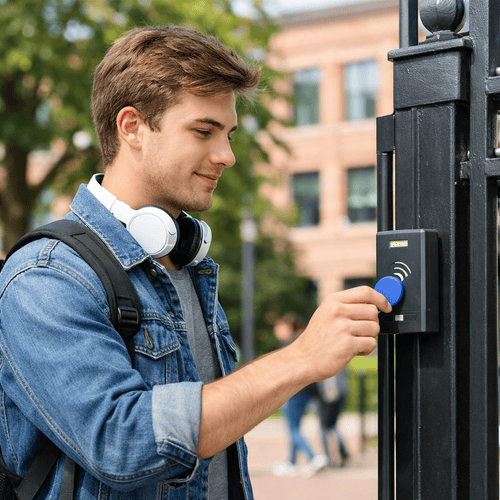
Access control matters in any residential property. Student housing adds pressures that conventional multifamily rarely sees, and they all land on the same few weeks of the year.
Turnover Is the Dominant Cost
A conventional apartment building spreads move-ins across the year. Student housing doesn’t. Most beds are leased for a single fall start: Yardi Matrix reported that preleasing at its Yardi 200 schools reached 89.1% in July 2026, weeks before move-in (Yardi Matrix, Aug. 2026).
A large share of those beds change hands every year. Every resident who leaves needs every credential revoked. Every resident who arrives needs new ones issued. The labor behind that cycle is where most access control costs pile up.
Move-In Is a Throughput Problem
On peak move-in days, hundreds of residents arrive within hours. If every credential has to be handed over at a desk, the desk becomes the bottleneck, no matter how good the readers on the doors are.
Students Share Credentials
Students lend fobs to friends, prop doors for guests, and pass codes around group chats. Sharing is the defining security problem in student housing. It’s also why the speed of revocation matters more than the credential itself.
Parents Are Stakeholders
Parents often co-sign leases, ask about security on tours, and expect answers when something goes wrong. A system with a clear audit trail gives staff something concrete to show them. Parents and other visitors also need a guest-access process that doesn’t depend on a resident lending out a credential.
Campus Expectations
Students are used to tapping a campus ID card on residence hall and building doors. Some operators, especially near campus or in university partnerships, are asked whether the property can accept those cards too. That depends on the card’s format and the readers installed, so confirm compatibility before promising it.
Unit Layouts Vary
Access needs change with the floor plan:
- Traditional halls: shared corridors and bathrooms, with access controlled at the building, floor, and room door
- Suite-style: a few bedrooms sharing a bathroom or common room, with a suite door and bedroom doors
- Apartment-style: full units with a kitchen, usually leased by the bed, so each bedroom needs its own access
- Pod or cluster layouts: groups of rooms around a shared lounge, often with a cluster door
The more lockable doors sit between the lobby and the bed, the more a system needs per-unit and per-bedroom control.
The 4 Access Control Architectures for Student Housing
The matrix above compares credentials, meaning what students carry. Architecture is the other half of the decision: where electronic control stops and mechanical keys take over. Most student properties fall into one of four setups.
| Architecture | What’s electronic | What’s still mechanical | Main trade-off |
| 1. Building-wide + mechanical unit locks | Entrances, amenities, sometimes elevators | Unit and bedroom doors | Lowest cost, but every turnover still means collecting keys or rekeying |
| 2. Building-wide + electronic unit locks | Entrances, amenities, and unit doors | Bedroom doors, in many cases | One credential reaches the unit; bedroom privacy may still rely on keys |
| 3. Per-suite electronic | Entrances, amenities, suite doors, and bedroom doors | Little or nothing; smart locks keep a key override | Full per-bed control; highest per-door hardware cost |
| 4. Fully mobile, no physical credentials | Everything, through phones | Nothing day to day; smart locks keep a key override | Lowest credential cost and fastest issuance, but needs a fallback for dead or lost phones |
1. Building-Wide Electronic, Mechanical Unit Locks
This is the most common starting point, and it’s where many fob-only properties sit today. Readers control the front door, gates, parking, and amenities. Unit and bedroom doors still use metal keys.
It works until turnover. Then staff collect keys, chase the ones that don’t come back, and rekey or swap cores for any that are missing.
2. Building-Wide Electronic, Electronic Unit Locks
Adding smart locks to unit doors lets one credential cover the building and the apartment. Turnover becomes a software change at the unit level too. The gap is bedrooms: in apartment-style housing leased by the bed, a shared unit door alone doesn’t separate roommates.
3. Per-Suite Electronic Access
Here, electronic control reaches the suite door and each bedroom door. Each student gets access to the building, their suite, and only their own bedroom. This is the setup that best handles by-the-bed leasing, room changes, and roommate disputes. It also costs the most, because every bedroom door needs a lock.
4. Fully Mobile, No Physical Credentials
Some properties issue only mobile credentials. Issuance happens before arrival, and nothing physical gets lost or lent out. The risk is the edge case: a dead battery at 2 AM or a student without a compatible phone. A fully mobile property needs a documented fallback, such as a PIN or a small stock of backup fobs.
A Note on Floor Access
Restricting residents to their own floor is usually done through elevator access control, not by locking stairwell doors. Stairwell doors are part of the building’s exit path, and fire and building codes limit how they can be locked. Work with your integrator and local code official before restricting any door on an egress route.
Key Fobs vs. Mobile Credentials vs. Smart Locks
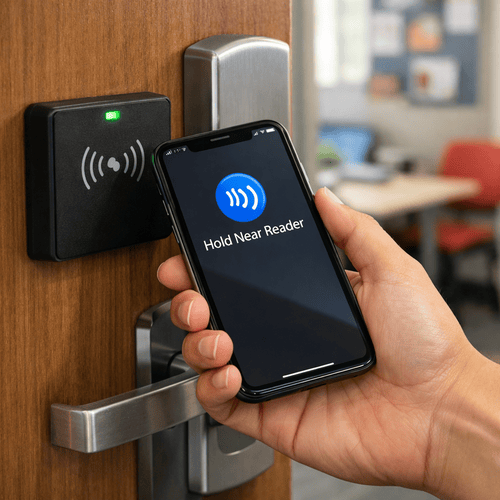
For most student properties, the right answer is mobile-first with fobs as a backup, plus a documented fallback for dead phones. Here’s how the three options compare in practice.
| Factor | Key fobs | Mobile credentials | Smart locks on unit/bedroom doors |
| How it’s issued | Encoded and handed over in person | Sent to the student’s phone before arrival | Code or mobile key assigned in software |
| What happens at move-out | Collect the fob, deactivate it, chase the ones that don’t come back | Revoke in software; nothing to collect | Revoke the code or mobile key; no rekeying |
| Lost credential | Deactivate, encode, and hand over a new fob | Reissue to a new or recovered phone | Issue a new code |
| Sharing risk | Easy to lend out; unencrypted fobs can be copied | Harder to share, since the phone is personal | Codes can be shared, but each student’s code is logged separately |
| Where it reaches | Wherever readers are installed | Readers that support mobile, plus compatible locks | The unit or bedroom door itself |
| Main weakness | Replacement cost and desk time | Dead or lost phones | Batteries and per-door cost |
Fobs: Cheap to Buy, Expensive to Manage
Encrypted 13.56 MHz fobs cost about $5 to $15 each in bulk (Swiftlane key fob cost guide). The hardware is rarely the problem. The labor around it is.
Our cost guide puts each lost-fob event at $35 to $50 once you count the replacement fob, staff time, and the lockout in between. It also estimates that 5% to 10% of fobs are lost, damaged, or not returned each year in multifamily buildings (Swiftlane).
Applied to a 400-bed property with one fob per bed:
- At 5%: 20 replacements a year, or about $700 to $1,000
- At 10%: 40 replacements a year, or about $1,400 to $2,000
Student housing is likely to sit at the high end of that range or above it, given annual turnover and how often students misplace credentials. Every point above 10% adds to the bill.
There’s also a security cost. Legacy 125 kHz proximity fobs aren’t encrypted and can be copied in seconds with a cheap handheld duplicator. A copied fob logs entries under the original student’s name, so the audit trail stops meaning anything. If you keep fobs, specify encrypted credentials such as MIFARE DESFire EV2/EV3 or HID iCLASS SE.
Mobile Credentials: Fast to Issue, With One Weak Point
Mobile credentials solve the two biggest fob problems. They can be issued before a student ever arrives, and nothing needs to be collected at move-out. Students are also far less likely to lend out their phone than a fob.
The weak point is the phone itself. Batteries die, phones get lost, and a few students won’t have a compatible device. That’s why a fully mobile property still needs a documented fallback: a PIN, a backup fob, or a staffed after-hours process.
Check the pricing model, too. Some platforms charge per user rather than per door. Per-user pricing can climb quickly in high-turnover buildings, so ask how departed residents are counted before you compare quotes.
Smart Locks: The Only Way to Control the Bedroom Door
Fobs and mobile credentials only work where there’s a reader. In apartment-style housing leased by the bed, the doors that matter most to residents are the unit and bedroom doors. Smart locks bring those doors into the same system.
Each student can get their own code or mobile key, so a roommate change doesn’t mean rekeying anyone else’s door. The trade-off is cost and upkeep: every lock is a piece of hardware with batteries to replace. Most multifamily smart locks also keep a mechanical key override as a backup.
The Recommendation: Mobile-First, Fob Backup, Written Fallback
Default every resident to mobile access. Issue fobs only to residents who need or ask for them, using readers that accept both phones and encrypted fobs. Then write down what happens when a phone dies at 2 AM and train staff on it before move-in.
This setup keeps fob inventory, replacements, and turnover work limited to a small share of residents instead of the whole building. To see how it works in practice, start with our overview of mobile access control.
2026 Cost Breakdown for Student Housing Access Control
For building-wide access control, expect roughly $50 to $200 per bed upfront in 2026. Adding smart locks to every bedroom adds roughly $290 to $750 per bed in an apartment-style layout. Operators budget per bed, so that’s how the numbers below are framed.
These figures build on the per-door ranges in our key fob entry system cost guide, converted to per-bed estimates. They reflect typical 2026 installer pricing; expect lower costs in lower-cost-of-living regions and higher costs in major metros.
Cost Components
| Component | Typical 2026 cost | Source |
| Controlled door (common areas), installed | $1,500 to $5,000 per door | Swiftlane cost guide |
| High-traffic perimeter entrance, installed | $5,000 to $6,000+ per door | Swiftlane cost guide |
| Encrypted fob | $5 to $15 each, in bulk | Swiftlane cost guide |
| Lost-fob event (fob, staff time, lockout) | $35 to $50 each | Swiftlane cost guide |
| Cloud software | $5 to $10 per door per month; some platforms price per user or per unit | Swiftlane cost guide |
| Smart lock, professionally installed | $230 to $600 per lock for residential-grade smart locks; commercial-grade hardware can cost more | Angi, Oct. 2026 |
Turnkey Tiers (Illustrative)
These tiers estimate building-wide access control only: entrances, amenities, parking, and service doors. Door counts are assumptions for a typical property of each size. Your actual count will depend on the site plan.
| Property | Assumed controlled doors | Upfront install | Per bed, upfront | Software per year | Per bed, software |
| Small hall, 150 beds | 6 | $9,000 to $30,000 | $60 to $200 | $360 to $720 | $2 to $5 |
| Mid-size, 400 beds in 2 to 3 buildings | 15 | $22,500 to $75,000 | $56 to $188 | $900 to $1,800 | $2 to $5 |
| Large portfolio, 1,000+ beds | 35+ | $52,500 to $175,000+ | $53 to $175 | $2,100 to $4,200+ | $2 to $4 |
Per-bed costs fall as properties grow because more beds share each controlled door. The math assumes $1,500 to $5,000 per door and $5 to $10 per door per month.
Adding Smart Locks to Units and Bedrooms
Per-unit access is a separate budget line because it scales with beds rather than with common doors.
In an apartment-style unit with four bedrooms, each bed carries its own bedroom lock plus a quarter of the unit door’s lock. At $230 to $600 per installed lock, that works out to roughly $290 to $750 per bed. Traditional halls with one lock per room, shared by two students, cost less per bed.
Ongoing Credential Costs
The recurring cost of fobs depends on how many go missing. Using the cost guide’s $35 to $50 per lost-fob event, a fob-only property loses money every year:
| Property | Fobs lost per year at 5% | At 10% | Annual cost at 5% | At 10% |
| 150 beds | 8 | 15 | $280 to $400 | $525 to $750 |
| 400 beds | 20 | 40 | $700 to $1,000 | $1,400 to $2,000 |
| 1,000 beds | 50 | 100 | $1,750 to $2,500 | $3,500 to $5,000 |
A mobile-first setup cuts this line to the small share of residents who still carry fobs.
Move-In Labor
The highest hidden cost is desk time during move-in. If each in-person fob handoff takes five minutes, 400 residents mean more than 33 staff hours of handoffs, concentrated in a few days. At roughly $25 an hour for front-desk staff, that’s about $830 in direct labor, before counting lines, overtime, or residents who arrive after hours.
Pre-issued mobile credentials move most of that work before move-in day, when staff has time to spare.
Move-In Week and Turnover: The Two Operational Tests
The best way to judge a student housing access system is to walk it through move-in week and turnover. If it handles those two windows well, the rest of the year is easy.
Move-In Week
The goal is simple: a student should be able to get into the building, their unit, and their room without waiting in a line for a credential.
- Issue credentials before key pickup. Load residents from the lease data and send mobile credentials days before move-in, set to activate on the lease start date.
- Keep the desk for exceptions. Staff should only hand out fobs to residents who need one, fix problems, and handle late lease changes.
- Stage fob backups in advance. Encode backup fobs ahead of time and tie each one to a resident, so a handoff takes seconds, not minutes.
- Plan for arrivals after hours. Decide in advance how a student who arrives at midnight gets in, and make sure the night staff knows.
- Expect early lockouts. The first week or two brings the most lockout calls, as students learn the system. Staff accordingly.
Move-in week often brings a spike in deliveries too, as students order what they couldn’t pack. If your package room is on the same platform, plan its access rules at the same time. Our guide to package management for multifamily buildings covers the options.
Turnover
Turnover is the reverse problem. Every departing resident’s access needs to end on time, across every door they could open.
- Revoke on the lease end date, automatically. The safest setup ties access to lease status, so credentials expire without anyone remembering to do it.
- Revoke in bulk. End-of-year move-out can mean hundreds of revocations in a few weeks. Doing them one at a time invites mistakes.
- Handle summer and semester transitions. Summer residents, intersession stays, and mid-year lease swaps all need start and end dates. They shouldn’t depend on someone updating a spreadsheet.
- Audit what’s still active. After move-out, pull a list of active credentials and compare it against current leases. Anything that doesn’t match gets revoked.
The fastest way to make turnover automatic is to connect the access system to the property management software (PMS). Our guide to property management access control systems explains how that connection works.
What to Measure
Track three numbers each cycle so you can see whether the process is improving:
| Metric | What it tells you |
| Issuance time per resident | How long it takes from lease signing to a working credential, and how much desk time move-in needs |
| Revocation completion time | How many days after lease end it takes until every departing resident’s access is off |
| First-week lockout calls | How well students were onboarded, and whether your fallback process works |
Where Most Student Housing Access Systems Fail
Most failures aren’t hardware failures. They’re gaps between the access system and the way student housing actually runs.
Credentials That Survive Move-Out
A former resident’s fob still opens the front door in September. It happens when revocation depends on someone working through a list by hand during the busiest weeks of the year. The fix is tying access to lease end dates and running an audit after every move-out.
Roommate Disputes With No Per-Bed Control
When one key or code opens the whole unit, staff have no clean way to handle a roommate conflict, a room change, or a student who moves out mid-year. Per-bedroom locks with separate credentials let you change one student’s access without touching anyone else’s.
Shared Fobs With No Audit Trail
If fobs are lent out or copied, the access log records the wrong person. That makes the log useless right when you need it, during an incident review or a conversation with a parent. Encrypted credentials, mobile-first access, and quick revocation all reduce the problem.
First-Fortnight Lockout Spikes
The first two weeks of the semester bring a wave of lockouts: new students, new phones, new routines. Properties without a documented fallback end up with staff letting students in by hand, which defeats the point of controlled access.
Room Changes That Never Reach the Access System
A student switches rooms in October. The housing office updates the lease, but nobody updates the access system. Now the student can still open the old room and can’t open the new one. Without an integration between the PMS and the access platform, every room change is a manual task waiting to be missed.
What to Look for in a Student Housing Access Control System
Use these seven criteria to compare vendors. Each one maps to a failure point covered above.
Portfolio-Wide Cloud Management
You should be able to manage every building, door, and credential from one cloud-based dashboard, without going on-site to update a controller. This matters most for third-party managers and operators running several properties near different campuses.
Bulk Issuance and Revocation
Ask the vendor to show you how they’d load 400 incoming residents and revoke 400 departing ones. If the answer involves editing records one at a time, move-in week will be painful.
Permissions by Hall, Suite, Bedroom, and Amenity
The system should let you set access at every level: building, floor, suite, bedroom, and shared spaces like gyms and study rooms. It should also support time-based schedules and separate roles for staff, contractors, and vendors.
PMS Integration for Automatic Turnover
The access system should pull lease start and end dates from your PMS. That way, credentials are issued and revoked based on lease status, and room changes flow through without manual updates.
Mobile and Fob Parity, Not Mobile-Only
Look for readers that accept both mobile credentials and encrypted fobs on the same doors, with the same permissions. That lets you run mobile-first while still serving students who need a fob. If you’re keeping fobs or cards, our overview of key card access control covers the options.
Multi-Entry Support
Student properties have many kinds of entry points: lobby doors, perimeter gates, parking garages, elevators, amenity rooms, and package rooms. One platform should cover all of them, so students carry one credential and staff use one dashboard.
Audit Trail Reporting
Every entry should be logged by person, door, and time, and the logs should be easy to search. Good logs help with incident reviews, conversations with parents, and the post-move-out credential audit. For guest access, also look at how visitors are logged; our guide to visitor management systems (VMS) for apartments covers what to compare.
Where Swiftlane Fits
Swiftlane is a cloud-based access control platform built around the mobile-first, fob-backup model this guide recommends. Here’s how it maps to the two operational tests.
For move-in week:
- Mobile and fob credentials on the same doors. Administrators can assign the same door and schedule permissions to either credential type, so students who need a fob get the same access as everyone else. Mobile users also get remote unlock and Bluetooth proximity unlock. Reader compatibility varies by model.
- Bulk user imports. Bulk user imports. Residents can be added and re-issued in bulk through CSV upload, so incoming residents can be set up before they arrive.
- Compatible student ID cards. Swiftlane readers can read compatible RFID student ID cards and can coexist with existing card-based access control. Card formats vary, so confirm compatibility for your campus cards with our team.
For turnover:
- Lease-based provisioning. Swiftlane integrates with PMS including Entrata, Yardi, and RealPage. Credentials can be provisioned at move-in and revoked at move-out based on lease status, so departing residents lose access on schedule. Entrata properties can be set to auto-sync with Swiftlane (Swiftlane Help Center).
- Remote issuance and revocation. Staff can issue and revoke fobs and mobile credentials from the dashboard without going on-site.
For per-unit and per-bed access:
- Smart locks on unit and bedroom doors. Swiftlane works with Yale Wi-Fi locks and Igloo Home Bluetooth locks, so each student can get their own code or mobile key. Bluetooth locks don’t require building-wide Wi-Fi.
- One platform for every door. Entrances, gates, garages, elevators, amenities, and unit doors are managed from the same dashboard, with entry logs for each.
See how Swiftlane supports residential properties, or explore mobile access in more detail. Ready to talk through your property? Request a demo.
FAQs
What is access control for student housing?
Access control for student housing is the system that governs who can enter a property, its amenities, and individual units or bedrooms. It usually combines building-wide credentials, such as fobs or mobile credentials, with unit-level locks. Everything is managed centrally, so credentials can be issued and revoked without rekeying.
Is a key fob system still a good choice for student housing?
A key fob system for student housing still works, but fobs are a poor choice as the only credential. They get lost, lent out, and, if unencrypted, copied. Most properties are better served by mobile credentials as the default, with encrypted fobs as a backup for students who need them.
How much does access control cost per bed?
Building-wide access control typically runs about $50 to $200 per bed upfront in 2026, depending on property size and door count. Adding smart locks to every bedroom in an apartment-style unit adds roughly $290 to $750 per bed. Cloud software typically adds a few dollars per bed each year.
Should student housing use mobile credentials or key fobs?
Use mobile credentials as the default and keep encrypted fobs as a backup. Mobile credentials can be issued before move-in and revoked without collecting anything. Fobs cover students without a compatible phone and serve as a fallback when a phone dies.
How do you speed up move-in week?
Issue credentials before students arrive. Load residents from lease data, send mobile credentials ahead of move-in, and set them to activate on the lease start date. Keep the front desk for exceptions, such as backup fobs and late lease changes, instead of routine handoffs.
How do you make sure former residents lose access?
Tie access to lease status through a PMS integration, so credentials expire automatically at lease end. Revoke in bulk during move-out season, then compare active credentials against current leases and remove anything that doesn’t match.
Can each roommate have separate access to their bedroom?
Yes, if bedroom doors have electronic locks. Smart locks can give each student their own code or mobile key. That lets staff change one student’s access during a room change or dispute without affecting anyone else in the unit.
What happens if a student’s phone dies?
A mobile-first property needs a documented fallback. Common options include a PIN, a backup fob, or a staffed after-hours process. Write the process down and train staff on it before move-in, since the first two weeks usually bring the most lockouts.
Can student ID cards work with a property’s access control system?
Sometimes. It depends on the card’s technology and the readers installed. Some access control systems can read compatible RFID student ID cards, but card formats vary between campuses. Confirm compatibility with your vendor before promising it to residents.
Can students be restricted to their own floor?
Yes, but usually through elevator access control rather than locked stairwell doors. Stairwell doors are part of the building’s exit path, and fire and building codes limit how they can be locked. Work with your integrator and local code official before restricting any door on an egress route.
How We Researched This
We built this guide from current market data, published pricing, and Swiftlane’s own deployment experience. Leasing and occupancy figures come from Yardi Matrix’s national student housing reports. Per-door, fob, and software costs come from Swiftlane’s 2026 key fob cost guide, which draws on typical installer pricing and our multifamily deployments. Smart lock pricing comes from Angi’s 2026 cost data. We converted per-door figures into per-bed estimates using the door-count assumptions stated in each table, and checked product capabilities against Swiftlane’s product pages and help center documentation.


