

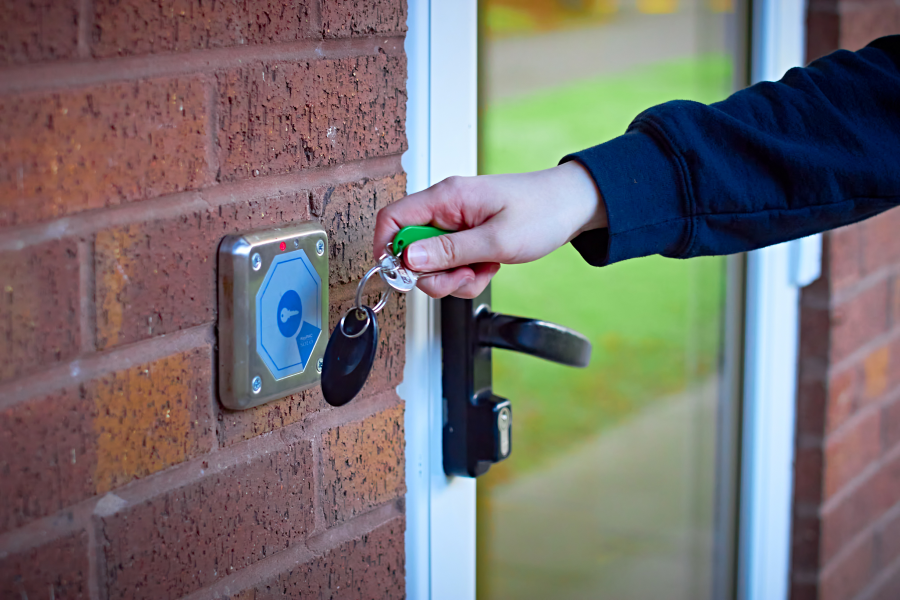
A key fob system for apartments gives property teams more control over who can access shared spaces while giving residents a convenient alternative to traditional metal keys.
Modern systems go beyond basic RFID fobs, offering features such as cloud-based management, mobile credentials, video intercoms, and integration with other building technologies. Property teams can use these systems to manage permissions remotely, deactivate credentials that have been lost, and control access across multiple entry points.
This guide explains how apartment key fob systems work, compares credential options, and outlines practical considerations for choosing a solution that fits your property’s security, operational, and resident experience needs.
If you’re also evaluating the financial impact of access control investments, our guide on maximizing NOI with smart building security explores how security upgrades can affect operating costs, resident experience, and long-term property performance.
How we researched this
Swiftlane has worked with property managers and building operators, supporting 3,000+ deployments across more than 10,000 buildings, including multifamily and commercial properties. The recommendations in this guide draw on those deployment experiences, conversations with property teams, and research into current access control technologies and industry best practices.
Key Takeaways
- Choose a key fob system for apartments that balances security and convenience for residents and property management staff alike.
- To be flexible, consider a hybrid solution that supports both key fobs and mobile credentials.
- Choose encrypted credentials when stronger protection against credential cloning is a priority, and evaluate biometric access separately based on your property’s security, privacy, and resident-experience requirements.
- Streamline your operations by installing a system that integrates with other building technologies, like video intercoms and property management software.
Table of Contents
- What Is an Apartment Key Fob System?
- Key Fob Systems vs. Mobile Access for Apartments
- What Are the Different Types of Key Fobs?
- What to Look for in an Apartment Key Fob System
- Major Providers of Apartment Key Fob Systems
- What Challenges Do Property Managers Face With a Key Fob System for Apartments?
- Installing a Key Fob System for Apartments
- How Much Does a Key Fob System Cost?
- Integration With Modern Building Technology
- Why Choose Swiftlane for Apartment Key Fob Access?
- FAQs
Related Posts
- Key Fob Entry Systems – A Complete Guide
- What Is a Fob System and How to Choose One
- Key Card Entry Systems
What is an Apartment Key Fob System?
An apartment key fob system is an electronic access control system that uses physical credentials (key fobs or cards) to authorize entry through controlled doors and gates. The fob serves as a credential that allows authorized persons to access the common areas of an apartment or condominium building.
It can also serve a similar purpose in gated communities and other residential campuses. Common use cases include vehicle entryways, pedestrian gates, and shared facilities such as clubhouses and pools.
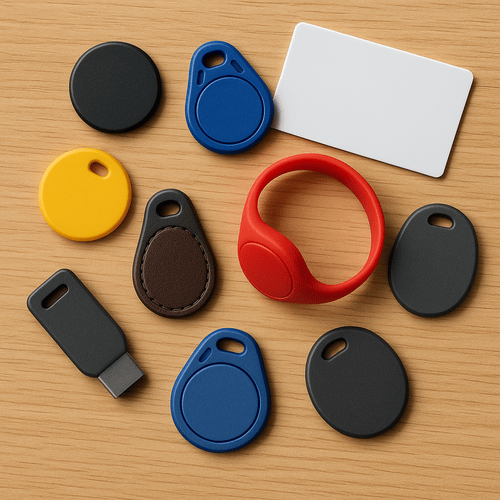
In residential key fob systems, residents are issued quarter-sized key fobs. You can also call these key tags, and they fit on their key ring. You can also use key cards, which are more common in commercial buildings or hotels/motels. Residents “tap” their key tags near a proximity reader built into the wall at various doors and gates throughout the building.
Long-range battery-powered key fobs can also open doors or vehicle gates from a greater distance. Meanwhile, RFID stickers are a kind of fob that can be placed on vehicles to open driveways and parking area gates as the car approaches.
Key fobs are great for residential properties. Residents can use a single fob at multiple entry points, including the main door, a mailroom, lounges, and parking areas.
You can also issue key tags to building staff and frequent delivery people. Using these, they can provide maintenance or safely deliver packages indoors without hiring full-time door or gate staff.
How Do Key Fobs Work for Apartments?
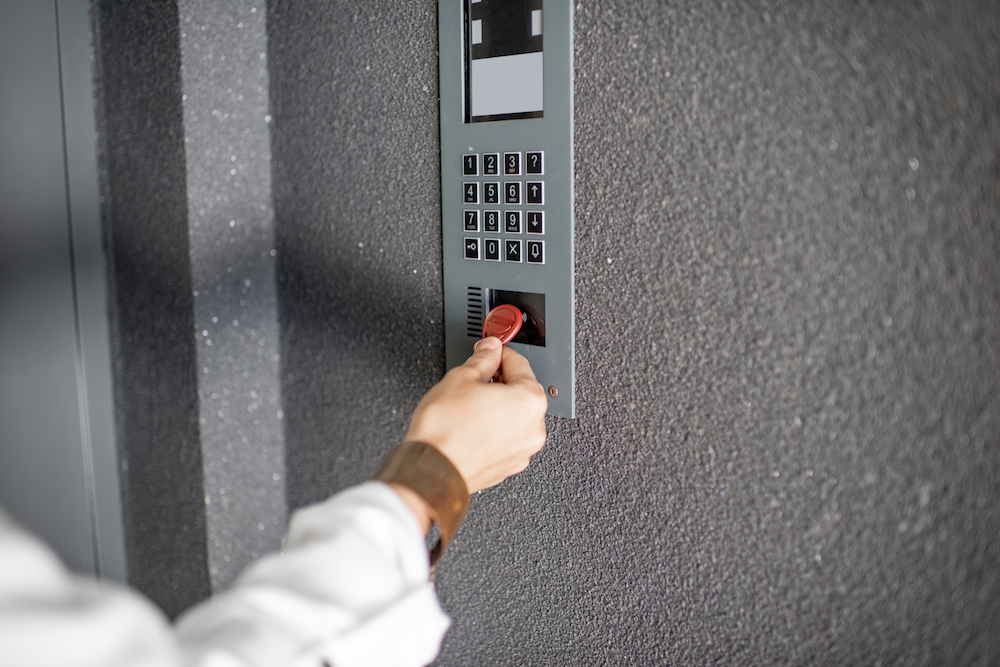
Apartment access systems can use several credential technologies. Traditional key fobs commonly use RFID-based technologies, while newer systems may also support NFC or Bluetooth Low Energy (BLE) for mobile credentials. The reader and credential communicate using the technology supported by the access control system.
The credential sends a signal back to the reader, which the reader cross-references with a system database. If the credential has been authorized to open that particular door or gate, it opens via a magnetic or electronic door-lock mechanism.
Are Key Fobs Safe for Apartments?
Apartment key fob systems can provide stronger access control than traditional metal keys, particularly when they support unique credentials, access logs, remote deactivation, and appropriate security controls. But security depends on the credential technology, reader, software, and system management. No access-control system is completely foolproof.

Security and Operational Benefits
- Audit trails: Individual credentials can be associated with residents, staff, or vendors, allowing the system to record access events where supported.
- Remote deactivation: Lost, stolen, or unreturned credentials can be deactivated without changing locks or affecting other residents’ credentials.
- Access permissions: Property teams can restrict access by door, user, group, or schedule, depending on the system.
- Visitor management: Integration with video intercoms or visitor management systems can provide residents and staff with additional ways to verify and authorize visitors.
- Contactless entry: Physical fobs can provide contactless entry without requiring residents to insert or turn a key.
Potential Limitations
- Credential cloning risk: Some older or low-security credentials can be vulnerable to cloning, particularly when they rely on static identifiers or weak authentication. Modern smart credentials can use encryption and stronger authentication to make unauthorized duplication harder.
- Physical credential management: Physical credentials also create an ongoing management responsibility. Property teams need to issue fobs to new residents, collect or deactivate them at move-out, replace lost credentials, and maintain appropriate access permissions for staff and vendors.
- Reader proximity: Most passive key fobs need to be presented within a relatively short range of the reader. That can be less convenient than hands-free or mobile credentials, particularly when residents are carrying groceries, packages, or other items. Long-range credentials and mobile options can provide different entry experiences, depending on the system.
- Credential and system costs: Physical credentials add ongoing replacement and administration costs, particularly at properties with high resident turnover or frequent credential loss. The total cost also depends on the readers, controllers, door hardware, installation, software, and other infrastructure required.
- Dependence on system architecture: A key fob is only one part of an access-control system. Readers, controllers, locks, power, network connectivity, and management software all affect how the system operates. Property teams should understand what happens during an internet outage, a power failure, or a cloud service disruption before choosing a system.
These considerations are why evaluating the credential alone isn’t enough. Industry guidance from the Security Industry Association (SIA) emphasizes encryption and role-based access control as important elements of modern access-control systems. In practice, property teams should evaluate the entire credential lifecycle: from issuance and authentication to access permissions, monitoring, and deactivation.
Key Fob Systems vs. Mobile Access for Apartments
Mobile access systems are increasingly being offered alongside traditional key fobs, giving property teams another way to manage resident access. For many properties, the choice doesn’t have to be either-or: a hybrid system can support both physical and mobile credentials simultaneously.
In Swiftlane deployments, some properties keep fobs as a backup access method while offering mobile credentials, PINs, and optional face recognition as additional entry options. This gives residents alternatives to relying solely on a physical credential that can be lost, copied, or shared.
Mobile access systems use BLE, NFC, or both to let residents use their smartphones as access credentials. This can reduce the need to issue physical credentials. At the same time, key fobs remain useful for residents who prefer a physical credential or for certain applications such as vehicle and gate access.
Here’s how key fobs and mobile credentials compare:
| Feature | Key Fob System | Mobile Access System |
| Credential format | Physical fob, card, or tag | Smartphone using supported mobile technology such as BLE or NFC |
| Credential issuance | Physical credential must be issued to each user | Credential can be provisioned through an app or digital management platform |
| Replacement | Lost or unreturned fobs must be deactivated and replaced | Lost or replaced phones may require credential reactivation or setup on a new device |
| Remote provisioning | Depends on the access-control platform | Often supported through cloud-based management platforms |
| Guest access | May require a physical credential or another visitor-access method | Can support temporary digital credentials on systems with guest-access features |
| Access logging | Depends on the access-control system | Depends on the access-control system |
| Connectivity | Credential-to-reader communication works locally; system management may require network connectivity | Entry behavior depends on the mobile technology and system; some configurations can authenticate locally while others depend on network or device conditions |
| Resident experience | Familiar and doesn’t depend on a smartphone | Convenient for residents who prefer using their smartphone as a credential |
| Vehicle and gate access | Can support dedicated vehicle fobs or RFID tags | Mobile vehicle access is available on some systems but depends on the hardware and deployment |
| Credential flexibility | Physical credentials can be issued alongside other credential types on compatible systems | Often works best as part of a platform that also supports physical credentials |
| Scalability | Depends on the access-control platform and hardware architecture | Depends on the access-control platform and hardware architecture |
Bottom line: Key fobs remain a practical option for residents who prefer physical credentials and for applications such as parking and vehicle access. Mobile credentials can simplify digital issuance and give residents the option to use a smartphone they already carry.
For many multifamily properties, a hybrid approach offers the most flexibility. Residents can choose a physical fob or mobile credential, while property teams can use the same access-control platform to manage permissions and deactivate credentials when needed.
To learn more about mobile credentials, see our guide to the benefits of mobile access.
What Are the Different Types of Key Fobs?
Passive vs. Active Key Fobs
- Passive credentials don’t contain a battery and work when presented within the reader’s operating range.
- Active credentials contain a battery and can communicate over a longer range, depending on the system. Some require a button press, while other hands-free systems use different detection methods.
Unencrypted vs. Encrypted Key Fobs
Not all key fobs offer the same level of security.
- Legacy low-frequency credentials: Older 125 kHz proximity credentials, such as HID Prox and EM4100, rely on static identifiers rather than modern cryptographic authentication. These credentials can be more vulnerable to cloning, and 125 kHz prox formats are commonly targeted with readily available RFID duplication equipment.
- Modern encrypted credentials: Credentials such as MIFARE DESFire EV2 or EV3 and HID iCLASS SE/Seos support stronger security mechanisms, including encryption and cryptographic authentication. These protections can make unauthorized duplication substantially more difficult.
Car RFID Tags
A comprehensive residential key fob system can include RFID tags for cars, which trigger gates at driveways, neighborhood entry points, or parking garages to open without the driver having to lean out the window to use their key fob.
These small stickers or tags, placed on a car’s windshield or near the license plate, automatically trigger a proximity-based RFID reader to open the gate as the vehicle approaches.
This hands-free solution is especially useful in high-traffic areas where manual key fobs may slow your entry. Plus, because each tag is uniquely assigned to a vehicle, property managers can track who comes and goes and easily deactivate lost or stolen tags for enhanced security.
Mobile Phones
Mobile credentials let residents use a smartphone instead of carrying a separate physical credential. Depending on the system, access can use Bluetooth, NFC, or other mobile technologies, while credential management is handled through the access control platform.
What to Look for in an Apartment Key Fob System
Choosing an apartment key fob system involves more than comparing the price of the reader or the cost of individual fobs. Property teams should evaluate how the system handles credentials, manages access, integrates with existing building infrastructure, and performs as the property grows.
Before choosing a system, consider these factors:
Credential Security
Not all key fobs provide the same level of protection against unauthorized duplication. Older or low-security credentials may rely on static identifiers that are more vulnerable to cloning, while modern smart credentials can use encryption and stronger authentication.
Ask vendors which credential technologies their systems support, whether credentials use cryptographic authentication, and whether the readers and controllers support the same security architecture.
Resident Convenience
A key fob should be easy for residents to use throughout the property. Consider how residents will access building entrances, amenities, parking areas, package rooms, and other shared spaces.
Also consider whether the system supports different credential types for residents who prefer physical fobs, mobile access, or other authentication methods.
Biometric Data and Privacy
If you’re considering facial recognition or another biometric credential, evaluate how the system handles biometric data, not just how accurately it recognizes residents.
Ask vendors:
- What biometric information is collected, and is an image or biometric template retained?
- Where is biometric data processed and stored?
- Is the data encrypted in transit and at rest?
- How long is biometric data retained, and when is it deleted?
- Who can access biometric data or related records?
- What happens to a resident’s biometric data when they move out or withdraw consent?
- What non-biometric alternatives are available for residents who don’t want to use facial recognition?
Biometric privacy requirements vary by state. For example, Illinois’ Biometric Information Privacy Act (BIPA), Texas’ Capture or Use of Biometric Identifier Act (CUBI), and Washington’s biometric privacy law impose requirements that can affect how businesses collect, use, disclose, retain, or destroy biometric information. The specific requirements and applicability depend on the property, the technology being used, and how biometric data is handled.
Before deploying facial recognition, property teams should review applicable federal, state, and local requirements with qualified legal counsel. Vendors should also be able to explain their biometric data practices, including consent, processing, storage, retention, deletion, security, and resident rights.
Resident choice matters, too. Treat facial recognition as an optional authentication method where practical and provide alternatives such as key fobs, mobile credentials, or PINs for residents who don’t want to use biometric authentication.
Mobile Credential Support
Even if you plan to issue physical key fobs today, mobile credentials can offer an additional access option as resident expectations and property technology evolve.
If mobile access is important to your property, confirm which technologies the system supports, such as BLE or NFC, and whether mobile credentials can be managed alongside physical fobs from the same platform.
Remote Administration
Property teams should be able to issue, modify, and deactivate credentials without unnecessary trips to individual buildings or access-control panels.
Look for centralized management that allows authorized staff to:
- Add and deactivate residents
- Replace lost credentials
- Change access permissions
- Create temporary credentials for staff or vendors
- Manage multiple buildings or properties
- Review access activity
For larger portfolios, centralized administration can be particularly important because credential management becomes more complex as the number of doors and users increases.
Offline Behavior
Don’t assume that a cloud-managed system stops working when the internet goes down, or that every system behaves the same way during an outage.
Ask vendors what happens when the property loses internet connectivity, when the cloud service is unavailable, or when a controller temporarily loses communication with the management platform. Determine whether existing credentials continue to work, how quickly changes synchronize after connectivity returns, and which administrative functions remain available during an outage.
Integration
Access control rarely operates in isolation. Your key fob system may need to work with existing or future building technologies such as:
- Video intercoms
- Elevator access control
- Security cameras
- Package rooms
- Vehicle gates
- License plate recognition
- Property management software
Before selecting a system, confirm which integrations are supported natively and which require additional hardware, software, or third-party services.
Scalability
A system should be able to grow with your property or portfolio without requiring a complete replacement.
Evaluate its capacity for:
- Doors and gates
- Active and stored credentials
- Buildings and properties
- Controllers
- Access groups and schedules
- Access-event history
- Additional integrations
If you manage multiple properties, also ask whether authorized staff can manage them from a centralized platform.
Audit Logs
Access logs can help property teams investigate incidents, understand access activity, and verify that credentials are being used appropriately.
Ask what information the system records, how long records are retained, how quickly events appear in the management platform, and whether authorized staff can search or export the data.
Installation Requirements
Before choosing a system, understand what needs to be installed or replaced at each entry point.
Confirm:
- Existing lock and door hardware
- Power requirements
- Network connectivity
- Controller and reader requirements
- Required wiring
- Elevator and gate interfaces
- Existing intercom or camera infrastructure
- Fire and life-safety requirements
- Whether existing hardware and wiring can be reused
These requirements can significantly affect the final project cost and installation timeline.
Total Cost of Ownership
The purchase price of the reader and key fob is only one part of the cost. Consider the full lifecycle cost of the system, including:
- Access-control hardware
- Door and gate hardware
- Key fobs and replacement credentials
- Installation
- Cloud software or licensing fees
- Network or cellular connectivity
- Maintenance and support
- Future hardware expansion
A system with a lower upfront price may not be the least expensive option over several years if it requires more on-site administration, frequent credential replacement, or expensive upgrades.
Pro tip: Ask vendors to provide these requirements, capacity limits, recurring fees, and expansion costs in writing as part of the proposal. This makes it easier to compare systems based on total cost and long-term fit rather than hardware price alone.
Key Fob Software and Programming
If you are looking for a new key fob installation, we suggest choosing systems with cloud-based remote management software to program them.

Older apartment key fob systems required a computer installed in each building, often with clunky software to manage the key fob database. Someone would have to physically go to this computer and add or remove each user as people moved in or out, or if a fob became lost or stolen.
Many key fob system providers today offer a cloud-based management platform that building managers can log into from any computer. This saves building managers significant time and labor by eliminating the need to program key fob systems at each entry point, especially when managing multiple buildings.
Cloud platforms typically incur a recurring subscription cost, so compare licensing fees alongside hardware, installation, maintenance, and credential replacement costs when evaluating the total cost of ownership.
Major Providers of Apartment Key Fob Systems
There are dozens of companies that offer key fob and access control systems for multifamily properties. They range from complete cloud-managed access control platforms to manufacturers that focus primarily on entry hardware, intercoms, or gate systems.
The providers below are included as a representative sample based on their presence in residential and multifamily access control and the range of credential and entry technologies they offer. This isn’t a ranking, and the right choice depends on your property’s existing infrastructure, entry points, credential requirements, integrations, and management needs.
Aiphone
Aiphone is a long-established manufacturer of intercom and entry systems used in residential and commercial properties. Its product portfolio includes systems that combine visitor communication with access control and can support credentials such as key fobs and cards, depending on the product line.
Potential limitation: Aiphone’s portfolio spans multiple intercom and access-control product lines, so capabilities such as cloud management, credential support, and integrations can vary considerably by product. Property teams may need to evaluate individual product families rather than assume the same management experience across the portfolio.
Swiftlane
Swiftlane provides a cloud-based access control platform designed for apartments, condominiums, and mixed-use properties. Its system supports encrypted key fobs, mobile credentials, and optional facial recognition access, video intercoms, and centralized cloud management. Property teams can manage credentials, permissions, and multiple entry points through the platform.
Potential limitation: Swiftlane is designed as a cloud-based platform, so properties seeking a simple, standalone key fob system without recurring software or cloud management requirements may find it more comprehensive than they need. Some features also depend on the selected cloud plan and system configuration.
Akuvox
Akuvox offers IP-based video intercom and access control products that support credentials such as key fobs, PINs, QR codes, and mobile devices, depending on the selected system. Its portfolio covers residential, commercial, and smart-building applications.
Potential limitation: Akuvox offers a broad range of IP intercom and access-control products, which provides flexibility but can also make system selection and configuration more complex. Property teams should confirm which management software, hardware, integrations, and network infrastructure are required for the proposed configuration.
DoorKing

DoorKing provides access control, gate entry, and telephone entry systems, along with related products, for residential and commercial properties. Its portfolio includes key fob systems and vehicle access solutions, making it particularly relevant to properties managing parking areas, gates, and perimeter access.
Potential limitation: DoorKing has a strong presence in gate entry and traditional access-control applications. Properties looking for a unified cloud platform that combines key fobs, mobile credentials, video intercom, and other building-access functions may need to verify whether the specific DoorKing configuration offers all of these capabilities in a single system.
What Challenges Do Property Managers Face With a Key Fob System for Apartments?
Managing a key fob system isn’t particularly difficult, but it does create recurring operational tasks that increase as a property grows.
Move-Ins and Move-Outs
Every new resident needs a credential, and every departing resident’s access should be revoked immediately.
In properties we’ve worked with, credential changes can become a recurring part of daily operations, particularly during periods of high resident turnover.
During move-in periods, Swiftlane customers use digital credential provisioning to reduce manual fob handoff work. For a 300-unit property, this can mean issuing or updating access for hundreds of residents without physically programming each fob.
At larger properties with frequent turnover, centralized credential management can help leasing and property teams handle these changes without adding additional manual work. Student housing is the most extreme version of this, with most residents turning over on the same academic calendar. Our guide to access control for student housing covers how teams handle move-in weekend at that scale.
Lost or Unreturned Fobs
Residents occasionally lose key fobs or move out without returning them. While replacing a single fob isn’t expensive, the administrative work adds up over time. More importantly, property managers need a process for immediately deactivating lost credentials so they can’t be used to access the building.
Swiftlane support insight: Across Swiftlane support conversations, common fob-related issues include lost credentials, residents sharing credentials, access not being removed after move-out, and staff needing faster remote troubleshooting.
Amenity Access Management
Shared spaces such as gyms, pools, package rooms, and coworking areas often require different access schedules. For example, residents may have 24/7 lobby access but only be allowed into the fitness center during operating hours. Managing these permissions manually becomes increasingly difficult without centralized software.
Staff and Vendor Credential Control
Maintenance technicians, cleaners, contractors, and delivery personnel rarely need unrestricted access to the building. Assigning credentials with limited permissions and automatic expiration reduces the risk of credentials being forgotten or remaining permanently active.
Managing Multiple Properties
Portfolio managers face an additional challenge when each property uses a separate access database or requires on-site programming. Cloud-based systems simplify this by allowing staff to issue credentials, revoke access, and manage permissions remotely from a single dashboard.
These day-to-day operational tasks are why many multifamily operators prioritize centralized, cloud-managed access control platforms that simplify credential management while reducing administrative overhead.
Case Study: How Gateway Park Apartments Modernized Access Control
Gateway Park Apartments, a 436-unit community in Northeast Denver managed by Apartment Management Consultants (AMC), was dealing with the administrative burden of traditional key fobs and shared access codes. Managing credentials across multiple buildings made move-ins, move-outs, and access changes more time-consuming for the onsite team.
The property also had shared access codes being used by residents, vendors, and former tenants, creating additional challenges around controlling and updating access.
After upgrading to a cloud-based access control system with mobile and fob support, Gateway Park centralized credential management and enabled staff to manage access digitally.
“It used to take hours to manage keys or fobs, and now I can do it from my phone in seconds,” said Brenda Santamaria, Community Manager at Gateway Park Apartments.
The experience illustrates one of the key considerations when evaluating an apartment key fob system: it should make credentials easier to manage and easier for residents to use.
Installing a Key Fob System for Apartments
Many companies manufacture key fob system hardware and components such as electronic locks, door controllers, call boxes, and intercoms. But installation is often handled by third-party companies known as system integrators.
Installing an access control system isn’t a DIY project unless your property has staff with the appropriate low-voltage, electrical, access-control, and door-hardware expertise. Most systems require wiring between the access-control hardware, power supply, and door or gate release mechanism.
Cloud-managed systems may also require network connectivity for functions such as remote administration, credential updates, and activity reporting. The doors may continue to operate locally during an internet outage, depending on the system and its configuration.
Because access control systems often need to work with existing locks, doors, gates, intercoms, and other building infrastructure, professional installation is recommended. Hardware manufacturers and access-control providers can often recommend qualified installers familiar with their systems.
Before installation, confirm:
- Existing lock and door hardware
- Number of doors and gates
- Power availability at each entry point
- Network availability
- Internet connectivity and backup options
- Door and gate hardware requirements
- Elevator integration requirements
- Fire and life-safety requirements
- Existing intercom and camera infrastructure
- Whether existing wiring can be reused
How Much Does a Key Fob System Cost?

The cost of an apartment key fob system depends primarily on the number of entry points, existing door and electrical infrastructure, credential technology, installation complexity, and whether the system is cloud-managed.
For planning purposes, hardware and installation for a complete apartment access control system typically run $1,500 to $4,000 for a small one- or two-door deployment, and $5,000 to $37,000 or more for larger multifamily projects as the number of doors, buildings, and integrations increases.
Typical Apartment Key Fob System Costs
| Property Size (Typical Entry Points) | Estimated Hardware | Estimated Installation | Total Hardware + Install Cost |
| Small apartment (1 to 2 doors) | $1,000 to $2,500 | $500 to $1,500 | $1,500 to $4,000 |
| Mid-size apartment (3 to 6 doors) | $3,000 to $8,000 | $2,000 to $5,000 | $5,000 to $13,000 |
| Large multifamily (6 to 15 doors) | $8,000 to $25,000 | $5,000 to $12,000 | $13,000 to $37,000 |
How Year 1 Costs Compare to Upfront Installation
The hardware and installation table above reflects upfront costs only. Most cloud-managed systems add a recurring software fee on top, so the true cost of running the system in Year 1 is higher than the installation total alone.
| Property Size | Total Hardware + Install Cost | Estimated Annual Cloud / Software Fees | Estimated Year 1 Total |
| Small apartment | $1,500 to $4,000 | $600 to $3,600 | $2,100 to $7,600 |
| Mid-size apartment | $5,000 to $13,000 | $600 to $3,600 | $5,600 to $16,600 |
| Large multifamily | $13,000 to $37,000 | $600 to $3,600 | $13,600 to $40,600 |
Cloud/software fees are estimated at $50 to $300 per month depending on door count and system scope, based on Swiftlane’s 2026 key fob system costing guide. Annualized, that’s $600 to $3,600 per year ($50-$300 x 12 months), the same monthly figure used throughout this article, not a separately sourced number.
Fees scale with door count within this range: a small property should expect to land toward the lower end, and a large property toward the higher end, rather than treating the full range as equally likely at every tier. Actual pricing varies by property, existing infrastructure, and system requirements.
Because the Year 1 ranges overlap between tiers (a small property’s high end and a large property’s low end can land close together), use the installation total as your primary reference for property size, and the Year 1 total to sanity-check that a proposal accounts for ongoing software fees, not just hardware and labor.
What Drives the Cost?
The number of doors is usually a more useful cost indicator than the number of units. A 100-unit building with three controlled entry points can require less hardware and installation work than a 50-unit property with ten controlled doors.
Other factors include:
- Readers and controllers: Each controlled entry point requires appropriate reader and controller hardware.
- Door hardware: Electric strikes, maglocks, power supplies, door position sensors, and request-to-exit devices can add to the project cost.
- Credential technology: Basic proximity credentials generally cost less than encrypted smart credentials (such as MIFARE DESFire).
- Installation: Labor increases when installers need to run new wiring, add conduit, modify doors, or work with older infrastructure.
- Cloud management: Cloud-based systems can add recurring software or platform fees but allow property teams to manage credentials remotely.
- Integrations: Video intercoms, elevators, gates, cameras, package rooms, and property management software can expand the project scope.
- Number of buildings: Multi-building properties may require additional controllers, network infrastructure, and configuration.
Don’t Look at Hardware Cost Alone
The price of the reader or fob is only one part of the total project cost.
For example, a reader might cost a few hundred dollars, but a functioning access-controlled door can also require a controller, electronic locking hardware, power supply, wiring, sensors, network connectivity, and professional installation.
That’s why comparing vendors based solely on price per reader or price per fob can give a misleading picture of the actual investment.
Instead, ask vendors to break their proposals into:
- Hardware
- Installation and electrical work
- Credentials
- Software or cloud fees
- Integrations
- Ongoing maintenance and support
This makes it easier to compare proposals on a true total-cost-of-ownership basis.
What About Ongoing Costs?
Cloud-managed systems may include recurring software or subscription fees in addition to the initial installation, typically $50 to $300 per month depending on door count and system scope.
You may also need to budget for replacement credentials, maintenance, and future hardware additions. Credential replacement can add roughly $5 to $25 per credential when physical fobs are used.
For a multifamily property, these recurring costs should be evaluated alongside the operational savings from remote credential management, faster move-ins and move-outs, and reduced dependence on physical keys.
The best way to compare proposals is to calculate the three- to five-year total cost, not just the initial hardware price.
If you’re evaluating a new apartment access control system, you can get a quote from Swiftlane based on your property’s entry points and requirements.
Integration With Modern Building Technology
More and more apartments nowadays operate as integrated ecosystems instead of being standalone systems.
When evaluating a key fob system for apartments, consider how it integrates with:
- Video intercom systems
- Elevator access control
- License plate recognition systems
- Security cameras
- Package room access control
- Property management software
There are many ways integrated systems can streamline your operations:
- If you link access credentials to property management software, you can simplify onboarding for new residents.
- You can integrate elevator control to restrict floor access to authorized residents only.
- Connecting security cams to entry logs can aid in incident investigations.
Choosing a system that supports integration can reduce future upgrade costs and make property management more efficient.
Pro tip: The National Multifamily Housing Council (NMHC)/RETA access control guidance emphasizes the importance of flexibility around credentials and interoperability. For property teams, that means avoiding a system that locks the property into a single credential type or makes future integrations unnecessarily difficult.
Why Choose Swiftlane for Apartment Key Fob Access?
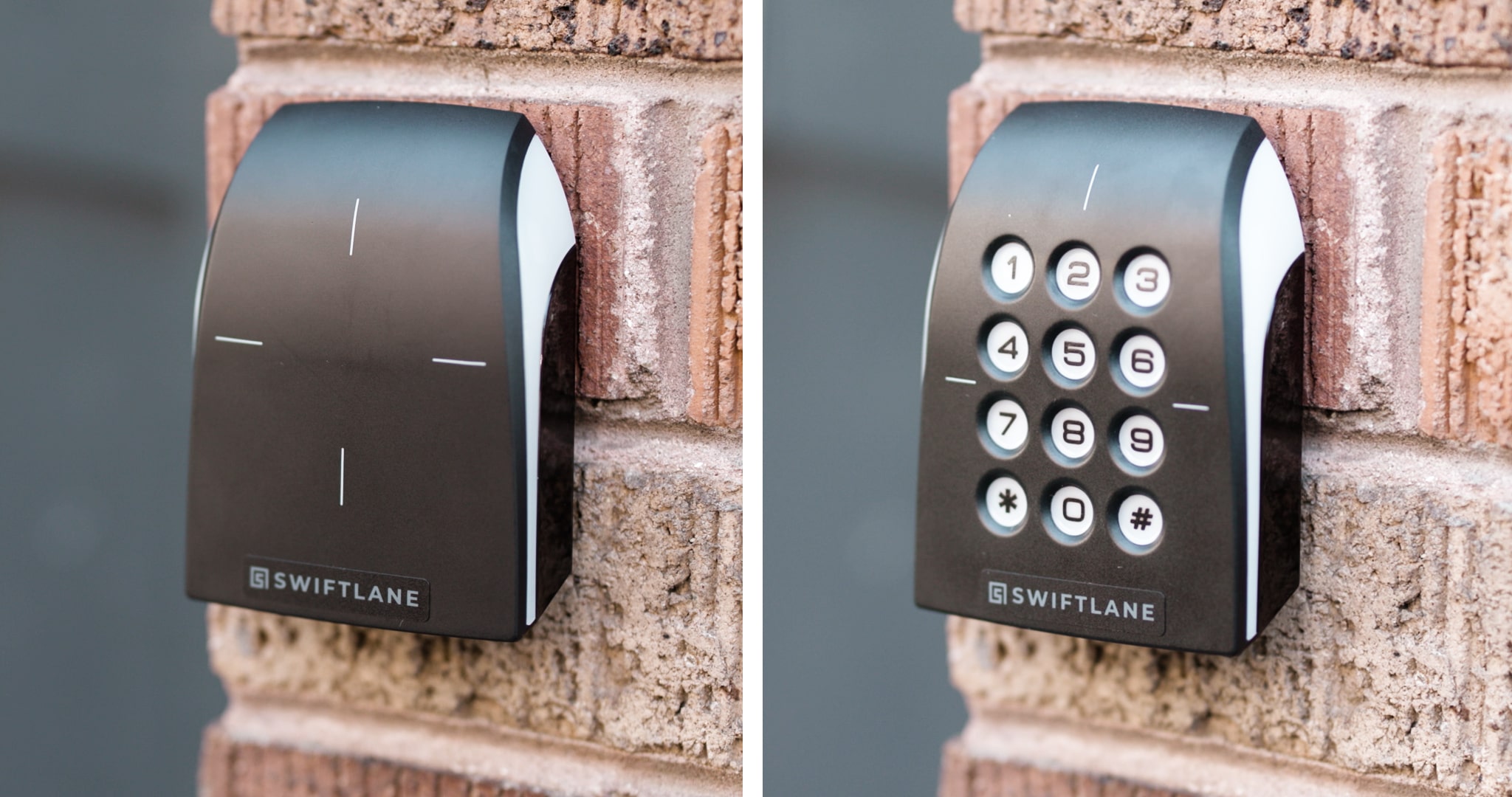
Swiftlane combines physical key fobs with mobile credentials, video intercom, and centralized cloud management, giving multifamily teams multiple ways to manage resident and visitor access.
What we’ve seen in the field: Swiftlane has supported more than 3,000 deployments across over 10,000 buildings. Across these deployments, we’ve seen property teams use centralized access management to handle credential changes without requiring staff to visit individual access-control panels.
With Swiftlane, property teams can:
- Issue and deactivate key fob and mobile credentials remotely
- Manage access permissions across multiple entry points
- Give residents mobile access alongside physical fobs
- Let residents screen visitors and remotely unlock doors through video intercom
- Add optional facial recognition access
If you’re evaluating key fob systems for a multifamily property, get a quote from Swiftlane based on your property’s doors, gates, credential requirements, and existing infrastructure.
FAQs
Can I program an apartment key fob myself?
In many systems, authorized property staff can issue and deactivate credentials through the management software. The exact process depends on the access control platform and credential technology.
Can you copy a key fob?
Key fobs can sometimes be copied or cloned, but the difficulty depends on the credential technology. Older or low-security credentials that rely on static identifiers may be more vulnerable to cloning, while modern encrypted credentials can use cryptographic authentication to make unauthorized duplication substantially more difficult. If you’re evaluating a key fob system, ask vendors what credential technology they use and what protections are in place against unauthorized cloning.
What signal do apartment key fobs use?
Apartment key fobs can use different wireless technologies to communicate with a proximity reader, including RFID, NFC, and BLE. The specific technology depends on the credential and access control system. Wiegand isn’t a wireless signal or radio standard. It’s a wired communication protocol used to transmit data between a reader and the access control controller. Open Supervised Device Protocol (OSDP) is a newer, more secure alternative that supports encrypted communication between readers and controllers.
What do I do if I lose my key fob?
If you are a building resident who has lost your key fob, contact your building owner or manager. They have access to the key fob system’s backend and can create a new key fob credential.
Can I be tracked from my key fob?
A typical passive key fob doesn’t have GPS, cellular connectivity, or its own internet connection, so it can’t continuously track a resident’s location. But the access-control system can record when and where a credential is used. For example, a system may log that a particular fob was used to enter a lobby, garage, or amenity area at a specific time. The exact information collected and how long it’s retained depends on the access-control system and the property’s policies.
Are apartment key fob systems more secure than traditional keys?
In many cases, yes. Unlike metal keys, key fobs can be remotely deactivated if they’re lost or stolen, eliminating the need to rekey locks. Many modern systems also use encrypted credentials and maintain audit logs that show when authorized users enter the building.
How much does it cost to replace an apartment key fob?
Replacement costs vary by system and credential type, but a typical key fob costs anywhere from around $5 to $25. Some property managers also charge residents an administrative or replacement fee to cover programming and issuance.
Can a key fob system work without an internet connection?
Yes. Most key fobs communicate locally with readers using RFID or similar technologies and don’t require internet access to unlock doors. But cloud-based management features such as remote administration, real-time updates, and activity reporting may require an internet connection.
Can apartment buildings use both key fobs and mobile credentials?
Yes. Many modern access control platforms support multiple credential types, allowing residents to choose between physical key fobs, smartphones, or even biometric authentication. Hybrid deployments are increasingly common because they offer flexibility without forcing every resident to adopt the same technology.
How long do apartment key fobs last?
Most passive RFID key fobs contain no battery and can function for many years under normal use. Their lifespan depends primarily on physical wear or damage rather than electronics. Active long-range fobs that use batteries require periodic battery replacement or eventual replacement of the device itself.
What happens to a key fob when a resident moves out?
Property staff should deactivate the resident’s credential as part of the move-out process. In a centrally managed system, access can be revoked without changing the locks or affecting other residents’ credentials.


