


Access is a core function that property managers rely on every day, but rarely treat as a strategic system. If you’re searching for the best cloud-based access control system, the answer isn’t a feature comparison. It’s whether the system holds up under real operational pressure.
Platforms like Swiftlane, Brivo, and Verkada are commonly shortlisted for multifamily and commercial properties, each suited to different operational needs. This guide breaks down where they fit and why it matters in practice.
Most properties started with on-site panels, key cards, and manual coordination. That worked in simpler environments, but as portfolios scale, limitations emerge quickly. High turnover, vendor access, distributed teams, and rising resident expectations have turned access into a continuous operational workflow rather than a background system.
Cloud-based access control shifts this toward centralized, real-time management across buildings, allowing teams to manage access through a single system that reflects activity across all doors.
This guide breaks down what matters in evaluation, what gets overvalued, and where real-world deployments fail.
How We Researched This
This guide is based on patterns observed across property operations using both legacy access control systems and cloud-based platforms in multifamily, commercial, and mixed-use environments.
It reflects recurring operational challenges seen during move-ins, vendor coordination, and system migrations, rather than vendor specifications or feature comparisons alone.
These insights are informed by Swiftlane’s experience across 3,000+ deployments annually, which provides a consistent view of how access control systems perform under real-world operating conditions at scale.
We also reviewed common evaluation criteria used by property managers and operators when selecting access control systems, focusing on workflow performance, scalability across portfolios, and reliability under day-to-day operational pressure.
Key Takeaways
- The best cloud-based access control system is defined by how reliably it supports real operational workflows, not by feature lists.
- Cloud systems reduce coordination overhead by centralizing move-ins, vendor access, and credential management across multiple buildings.
- Most failures stem from poor workflow alignment, weak adoption planning, and underestimating the complexity of retrofits or rollouts.
- Portfolio-level visibility and consistent access policies matter more than individual hardware or feature differences.
Table of Contents
- Why Property Managers Are Moving to Cloud-Based Access Control
- What “Best” Really Means and It’s Not Features
- Core Components of a Cloud-Based Access Control System
- Cloud-Based Access Control Features That Actually Matter
- Cost Breakdown for Cloud-Based Access Control Systems
- Retrofit vs New Construction
- Common Mistakes When Choosing a System
- How to Evaluate Vendors
- Best Cloud-Based Access Control Systems
- Where the Industry Is Going
- How Swiftlane Unifies Cloud-Based Access Control
- FAQs
Related Posts
- Cloud Intercom vs On-Premise Intercom
- Building Access Control Systems: A Complete Guide
- Face Recognition Access Control System for Apartment Buildings and Offices
Why Property Managers Are Moving to Cloud-Based Access Control
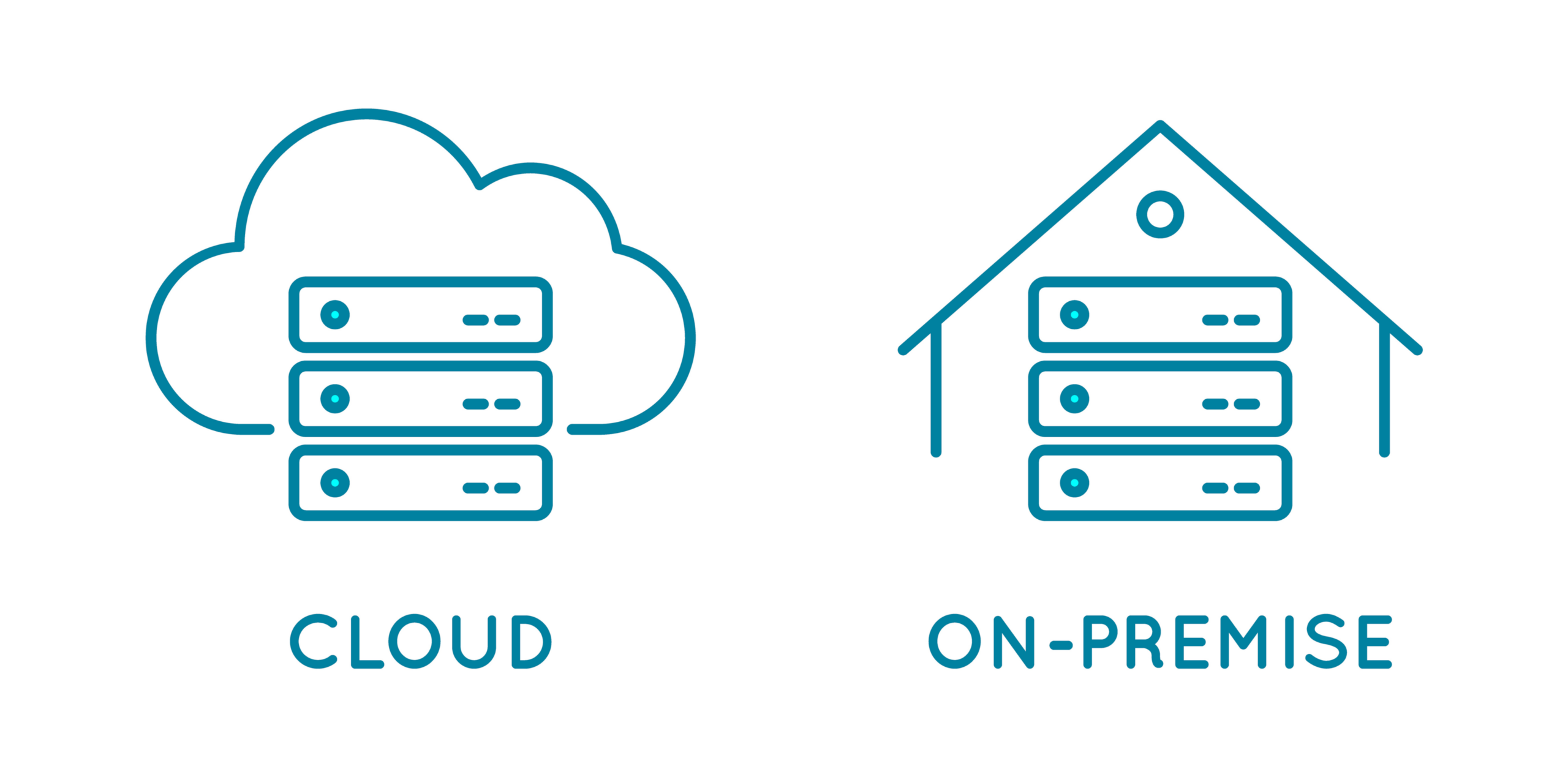
Cloud-based access control is often discussed as a technology upgrade, but for property managers, it’s fundamentally an operational change.
Most property managers aren’t struggling because their systems lack features. They struggle because access control is fragmented across buildings, staff, and manual processes.
Legacy systems were designed for predictable environments: long-term tenants, stable access patterns, and minimal change. That’s no longer the reality for most portfolios.
Modern property operations involve:
- Frequent move-ins and move-outs
- High vendor turnover (cleaning, maintenance, contractors)
- Remote leasing and distributed teams
- Increased expectations for instant access resolution
Each of these creates additional coordination work.
A leasing agent must grant access to a new resident. A vendor arrives early and waits for approval to enter. A resident loses a key fob and requests a replacement. None of these situations is particularly difficult on its own, but together they create a steady stream of interruptions.
Across larger portfolios, those small tasks add up quickly. Teams can spend hours each week per property managing credentials, coordinating vendor access, handling lockouts, and resolving routine access requests.
According to NMHC industry benchmarks, operational efficiency in multifamily portfolios is closely tied to how effectively teams manage turnover workflows, vendor coordination, and day-to-day operations.
Cloud-based systems centralize these workflows. Instead of managing access at the door level, teams manage it at the portfolio level through a single interface.
The real shift isn’t convenience. It’s gaining centralized control, real-time visibility, and a more scalable way to manage access across an entire portfolio.
For larger portfolios, the operational benefits become even more visible. One multifamily operator managing 10 properties transitioned from legacy access systems to a cloud-managed platform after dealing with recurring outages, frequent troubleshooting, and inconsistent support experiences. By moving to centralized management, the team was able to manage access across properties from a single dashboard while reducing the time spent on day-to-day system administration.
What “Best” Really Means and It’s Not Features
Most evaluations start with feature comparisons: mobile credentials, PIN codes, integrations, and dashboards.
But in practice, modern systems offer similar baseline capabilities. The difference isn’t what the system claims to do. Rather, it’s how it performs under operational pressure.
The best cloud-based access control system is one that works consistently in real-world conditions, such as:
- High-volume move-in days
- Emergency lockouts after hours
- Vendor access without staff coordination
- Simultaneous updates across multiple properties
These scenarios expose system weaknesses quickly.
This shift is already reflected in buyer behavior. Brivo’s State of the Market report found that over half of security decision-makers plan to transition to cloud-based access control within five years, with 82% expecting cost savings of up to 40%.
Three factors matter more than feature depth:
- Reliability – Access must work consistently without delays or failures.
- Usability – Non-technical members of your team must be able to operate the system quickly and correctly.
- Speed – Updates to access permissions must happen in seconds, not minutes.
Scalability is the final differentiator. Systems that work in one building often break down across portfolios when workflows aren’t standardized.
Ultimately, “best” means the system your team can operate correctly every day without friction.
For more help in evaluating systems, see our guide to cloud vs on-premise access control.
Core Components of a Cloud-Based Access Control System
Cloud-based access control systems consist of three primary layers: hardware, software, and credentials.
Hardware: The Physical Foundation
Hardware includes readers, locks, controllers, and entry panels. While specifications may look similar across vendors, installation conditions can vary.
Retrofit environments introduce complexity:
- Existing wiring limitations
- Door and frame compatibility issues
- Power constraints
- Integration with legacy systems
These factors directly impact cost, timeline, and reliability.
New construction environments offer more flexibility, allowing systems to be designed around modern access workflows from the start.
Software: The Operational Layer


Software is where day-to-day operations happen. This includes user management, permissions, audit logs, and access policies.
A strong platform reduces your repetitive tasks. A weak one introduces friction that compounds over time, especially during leasing cycles or turnover events.
The key difference between systems isn’t feature count. It’s workflow clarity. If your team can’t complete tasks quickly and consistently, adoption will fail regardless of capability.
Credentials: How People Actually Access Buildings
Credentials define real-world usability. Mobile access is increasingly common, but it isn’t universal in practice.
Common edge cases include:
- Phones running out of battery
- App fatigue among residents
- Vendors unwilling to install apps
- Temporary visitors requiring simple access
For this reason, hybrid credential models (mobile combined with fob, card, or PINs) remain the most operationally reliable approach.
Integrations: Useful, But Not Always Necessary
Integrations connect access control with PMS platforms, video intercoms, and visitor systems.
When implemented correctly, they reduce manual work. When overused or poorly designed, they introduce new points of failure.
The goal isn’t maximum integration. It’s meaningful integration that removes real operational steps.
Cloud-Based Access Control Features That Actually Matter
Not all features carry the same operational weight. In practice, a small set of capabilities drives most of the day-to-day value for property teams.
Throughout our deployments, we’ve noticed that the systems that perform best aren’t the ones with the longest feature lists, but the ones that consistently reduce manual work and prevent coordination breakdowns.
Remote Access Management


Remote access management is the core value of cloud systems. It allows teams to grant or revoke access instantly without needing to be on-site or coordinate through multiple layers of staff.
This becomes especially important during tenant turnover, emergency lockouts, and last-minute changes to vendor schedules. These are the moments where traditional systems slow teams down the most.
The result is faster response times and fewer interruptions in daily operations. More importantly, it reduces dependency on physical presence, which is critical for portfolios spread across multiple buildings.
Audit Trails
Audit logs provide visibility into who accessed what and when. This isn’t just a security feature. It’s also an operational tool.
They matter most in incident investigations, liability disputes, and internal oversight where teams need a clear record of activity. We’ve seen that the real value of audit trails depends heavily on usability.
If logs are difficult to filter, export, or interpret, they tend to get ignored. When that happens, the feature exists in the system but doesn’t meaningfully support operations.
Visitor and Vendor Access
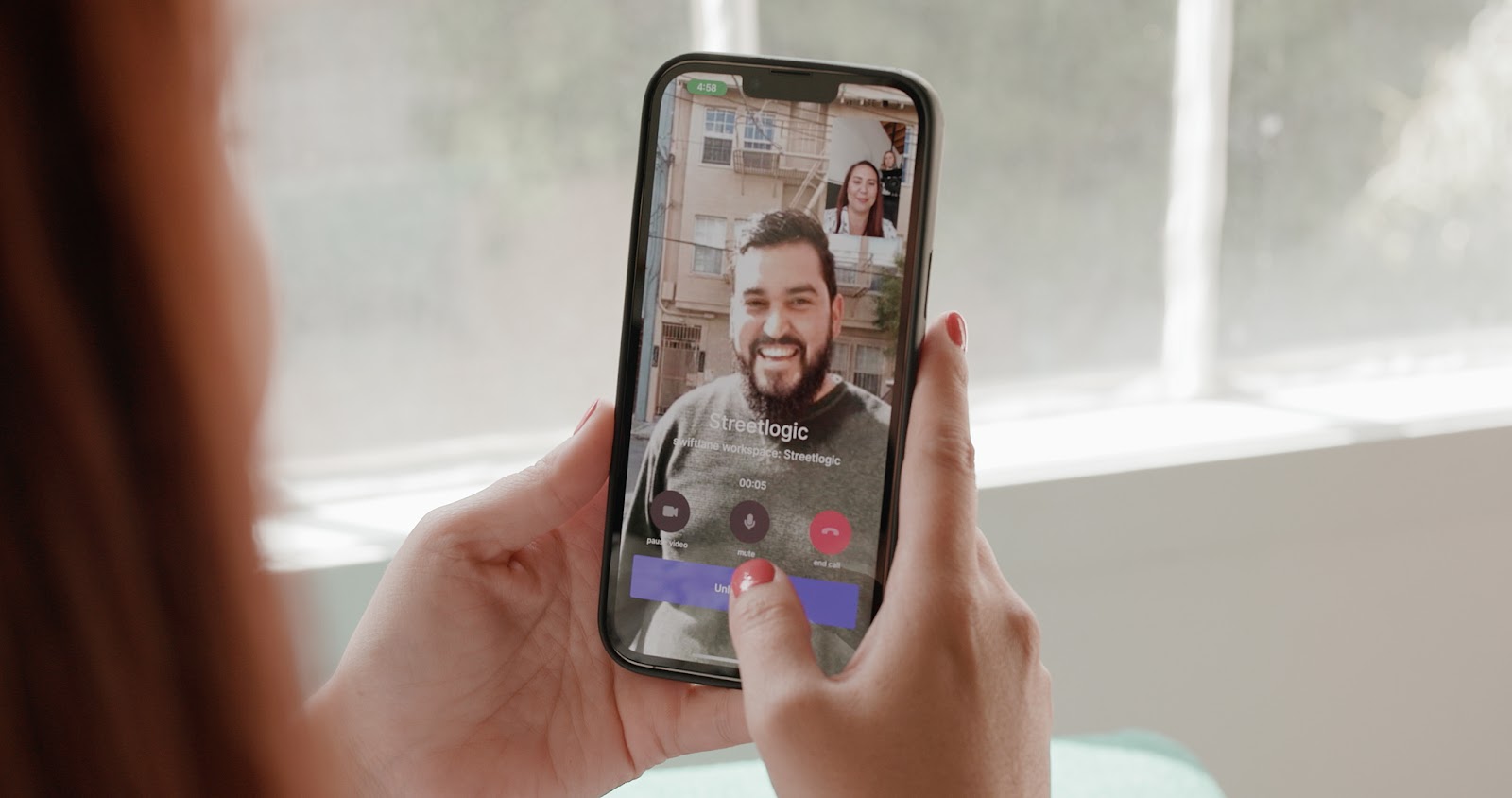
Visitor and vendor access is more effective, especially when paired with video intercom integration, since teams can visually verify entry requests and grant access remotely without being on-site.
But system design matters. Without clear expiration rules and access boundaries, temporary credentials can easily become permanent, creating security and accountability gaps over time.
We’ve seen this most clearly in larger multifamily communities where shared vendor codes become difficult to track over time. In one 436-unit property, staff reported spending hours managing move-ins, move-outs, and vendor access before transitioning to a cloud-based system with centralized credential management.
Multi-Property Management
Portfolio management is where cloud systems clearly differentiate themselves from legacy setups. Without centralized control, each building operates as an isolated system with its own rules, workflows, and reporting gaps.
A unified dashboard solves this by standardizing access policies across properties while still allowing flexibility where needed. It improves visibility, reduces duplication of effort, and makes it easier to scale operations without increasing administrative overhead.
Cost Breakdown for Cloud-Based Access Control Systems
Costs fall into three categories: upfront, ongoing, and hidden.
Upfront Costs
- Hardware: $150 to $2,500+ per door depending on system complexity
- Installation: $200 to $1,000+ per door depending on retrofit conditions
Retrofits are the most variable due to hidden infrastructure constraints.
Ongoing Costs
Most systems charge:
- $3 to $10 per unit per month, or
- $10 to $30 per door per month
Costs scale across larger portfolios, so long-term modeling is essential.
Hidden Costs
Hidden costs often exceed expectations:
- Staff time spent managing access issues
- Resident friction (lockouts, delays)
- Vendor inefficiencies due to access delays
According to IREM Income/Expense IQ national benchmarks, operational expenses and efficiency metrics in multifamily portfolios are closely tied to how well properties manage day-to-day operations such as turnover workflows, maintenance coordination, and vendor activity.
These operational inefficiencies compound over time and often outweigh upfront savings.
Retrofit vs New Construction
Retrofits and new builds require fundamentally different strategies.
Retrofits are constraint-driven:
- Existing infrastructure limits design
- Installation complexity is unpredictable
- Minimizing disruption is critical
New construction is design-driven:
- Systems can be optimized from the start
- Integration is easier
- Long-term scalability is higher
The wrong system choice in a retrofit can create long-term inefficiencies that persist for years.
Common Mistakes When Choosing a System
Most access control failures don’t come from missing features. They come from how the system is evaluated and rolled out.
In our experience across 3,000+ deployments in multifamily, commercial, and mixed-use environments, the same patterns recur. Teams tend to underestimate operational impact and over-index on surface-level comparisons during procurement.
Prioritizing Price Over Operations
Lower upfront costs often look attractive during procurement, but they shift complexity to day-to-day operations.
Cheaper systems may require more manual coordination, more frequent workarounds, or additional staff time to manage basic access tasks. Over time, those hidden costs tend to outweigh initial savings.
We’ve seen that the cheapest option on paper is rarely the lowest-cost option in practice, especially across multi-building portfolios where inefficiencies compound.
Ignoring Staff Workflows
Access control systems are used primarily by leasing teams, maintenance staff, and on-site managers, not IT departments. If the system doesn’t match how these teams actually work, adoption breaks down quickly.
That shows up in small ways first: delayed updates, inconsistent credential management, or staff reverting to manual processes. Once workarounds become normal, system reliability drops even if the underlying technology is solid.
Over-Automating Too Early
Automation is useful, but only when workflows are already stable. When teams automate unclear or inconsistent processes, the system tends to amplify confusion rather than reduce it. Instead of saving time, staff spend more effort troubleshooting edge cases and exceptions.
We’ve observed that successful deployments start simply, then gradually layer automation once operational patterns are well understood.
Underestimating Support
Support quality becomes critical during outages, hardware failures, or onboarding issues. At that point, system design matters less than response time and clarity.
Slow or unstructured support can turn a minor issue into a building-wide disruption. In practice, the difference between good and poor support often determines whether on-site teams trust a system over the long term.
How to Evaluate Vendors
Start with operational questions:
- How quickly can access be revoked?
- What happens during internet outages?
- Does the system support offline functionality?
- What are real support response times?
Then test real workflows:
- Move-in onboarding
- Vendor access setup
- Emergency lockout resolution
Evaluation Framework
| Area | Strong Signal | Red Flag |
| Usability | Common tasks (move-ins, access changes, lockouts) can be completed in a few clicks | Complex, multi-step workflows that require extensive training |
| Reliability | Consistent door response with documented uptime and offline operation | Delays, inconsistent performance, or unclear failover behavior |
| Support | Response time commitments documented in writing (SLAs) with defined escalation paths | Vague support commitments or limited after-hours assistance |
| Scalability | Centralized management across multiple properties from a single dashboard | Separate administration for each building or location |
| Offline / Failover | Doors continue operating during internet outages, with automatic sync when connectivity returns | Access depends entirely on an active internet connection |
| Integrations | Well-documented integrations with property management, visitor management, and video intercom systems | Limited integrations or heavy reliance on custom development |
| Credential Management | Supports mobile credentials alongside fobs, cards, or PINs with granular permission controls | Limited credential options or difficult user provisioning |
| Contracts and Pricing | Transparent pricing, clear renewal terms, and defined implementation costs | Hidden fees, automatic renewals, or unclear pricing structure |
Best Cloud-Based Access Control Systems
| System | Best For | Cloud-Native | Mobile Access | Starting Price | Multi-Property |
| Swiftlane | Multifamily + commercial | Yes | Yes | Custom | Yes |
| Brivo | Enterprise or commercial | Yes | Yes | Custom | Yes |
| Verkada | Security-first enterprise | Yes | Yes | Custom | Yes |
| Avigilon Alta | SMB or commercial | Yes | Yes | Custom | Yes |
| Salto | Hospitality or commercial | Hybrid | Yes | Custom | Yes |
Swiftlane: Best for Multifamily and Mixed-Use Properties
Swiftlane is best suited for multifamily, mixed-use, and commercial buildings looking to manage access control, video intercoms, visitor management, and mobile credentials from one cloud platform.
Rather than treating these as separate systems, it combines them into a unified workflow, reducing the need for multiple dashboards and disconnected administrative processes.
Focusing on operational efficiency, Swiftlane may be a good fit for teams managing frequent turnover or multiple buildings. Support for facial recognition, mobile credentials, and portfolio-level management can also reduce administrative overhead.
Potential buyers should evaluate whether they need Swiftlane’s all-in-one platform or require only a standalone access control solution. Teams with highly specialized enterprise requirements or existing investments in separate building systems may prefer a more modular approach.
Best for: Multifamily, mixed-use, and commercial properties seeking a unified access management platform.
Pricing: Custom quotation (varies by deployment).
Brivo: Best for Enterprise Commercial Properties
Brivo offers mature cloud management capabilities and supports a broad ecosystem of third-party integrations.
Organizations with multiple locations can benefit from the platform’s centralized credential management, audit logging, and scalable administrative controls. Its long presence in the market also means it’s widely recognized by security integrators and facility managers.
Pricing is typically provided through custom quotations, which can make early budgeting more difficult. Organizations with relatively simple operational requirements may also find that some of Brivo’s enterprise capabilities may exceed their immediate needs.
Best for: Enterprise offices and commercial portfolios.
Pricing: Custom quotation: uses a cloud-based subscription model that’s typically billed per door per month and varies by package, reseller, and deployment details.
Verkada: Best for Security-First Organizations
Verkada approaches access control as part of a broader cloud-based physical security ecosystem that includes cameras, sensors, alarms, and workplace management tools. If you’re looking to standardize multiple security technologies under a single vendor, Verkada could be a good fit.
It offers cloud-native architecture and centralized management that can help simplify administration across distributed locations. Meanwhile, the close integration between access control and video security can improve incident investigations.
Organizations evaluating Verkada should consider whether they plan to adopt its broader security platform over time. For those seeking only standalone access control, the additional capabilities (and corresponding cost) may provide less value than a more focused solution.
Best for: Enterprises prioritizing integrated physical security.
Pricing: Custom quotation: cloud-managed subscription model that includes hardware and recurring annual licensing, but per-door costs vary by deployment and package.
Avigilon Alta: Best for Small and Mid-Sized Commercial Properties
Avigilon Alta is designed for teams looking to modernize access control with a cloud-first approach while maintaining simple deployment across offices and commercial facilities. It emphasizes mobile credentials and remote management.
Its cloud architecture lets you manage users and credentials remotely, which can help if you’re dealing with distributed sites and only have limited on-site IT resources. Mobile access and integration capabilities can also support properties transitioning away from traditional key card systems.
Potential buyers should verify hardware compatibility and costs (deployment + subscription) as these can vary depending on project scope. If you’re managing larger enterprise environments, you should evaluate how Avigilon Alta can align with your broader security infrastructure.
Best for: Small and mid-sized commercial properties.
Pricing: Custom quotation: varies by deployment and is influenced by hardware configuration, licensing, and integration needs.
Salto: Best for Hospitality and Flexible Credential Management
Salto offers electronic locking solutions that are suited for hospitality environments, flexible workspaces, and commercial buildings requiring multiple credential types. It supports mobile credentials alongside key cards and other authentication methods.
It has support for hybrid deployments, letting you balance cloud management with existing on-site infrastructure where appropriate, which can be valuable if you’re transitioning gradually from legacy systems.
Note that Salto supports several deployment models and product lines, so it’s important to evaluate configuration options and integration requirements early in your procurement process. Pricing is generally provided through custom quotations.
Best for: Hospitality, commercial buildings, and hybrid deployments.
Pricing: Custom quotation.
Where the Industry Is Going
The SIA 2025 Security Megatrends report identifies cloud-based security platforms and mobile credential adoption as two of the top trends reshaping building access in 2025.
Access control is indeed evolving, but not in a straight line toward full digitization or a single dominant credential type. Instead, we’re seeing gradual shifts driven by operational reality rather than hype.
Industry adoption data supports this direction. According to ASSA ABLOY’s 2025 Wireless Access Control Report, 54% of organizations have already moved to cloud-based access management, with mobile-only credential environments tripling since 2023.
Across Swiftlane’s 3,000+ annual deployments, we’ve come to believe that the strongest value of cloud access control comes from day-to-day operational use across properties, rather than from feature novelty alone.
Hybrid Credentials Will Remain Standard
Mobile access is growing quickly, but physical credentials aren’t disappearing. Phones run out of battery, apps fail, and not every user wants a mobile-first experience.
Because of that, most properties continue to rely on a hybrid setup that combines mobile credentials with fobs, key cards, or PINs.
Hybrid credential models can support more flexible day-to-day operations in residential buildings, especially where residents, vendors, and visitors require different access workflows.
The goal isn’t to choose one credential type. It’s to ensure access still works when any single method fails.
Integrations Will Increase in Complexity
Access control systems are increasingly integrated with broader building infrastructure, such as property management software (PMS), video intercoms, elevators, and visitor management platforms. This expands capability, but it also increases dependency chains.
More integrations don’t automatically mean better operations. Poorly planned or maintained integrations can introduce additional points of failure, making troubleshooting and ongoing system management more complex.
The trend is toward deeper connectivity, but with a growing need for careful scope control and maintenance discipline.
Data Will Drive Operational Decisions
Access systems are no longer just about entry. They’re becoming operational data sources, too. Teams are using access logs to understand traffic patterns, optimize vendor scheduling, and refine staffing decisions.
This shift is still early for many operators, but the direction is clear. The value of access data increases when it’s centralized and easy to interpret, not when it’s fragmented across systems or hard to extract.
Portfolio Visibility Will Be a Competitive Advantage
The most significant long-term shift is portfolio-level visibility. Operators managing multiple buildings are increasingly moving away from isolated systems toward centralized dashboards.
With centralized visibility, you can monitor activity across properties, apply consistent access policies, and manage operations from a single interface rather than building by building.
As portfolios scale, the gap between centralized and fragmented systems becomes a real operational differentiator, not just a convenience.
How Swiftlane Unifies Cloud-Based Access Control
There’s no single best system, only systems that align with operational needs.
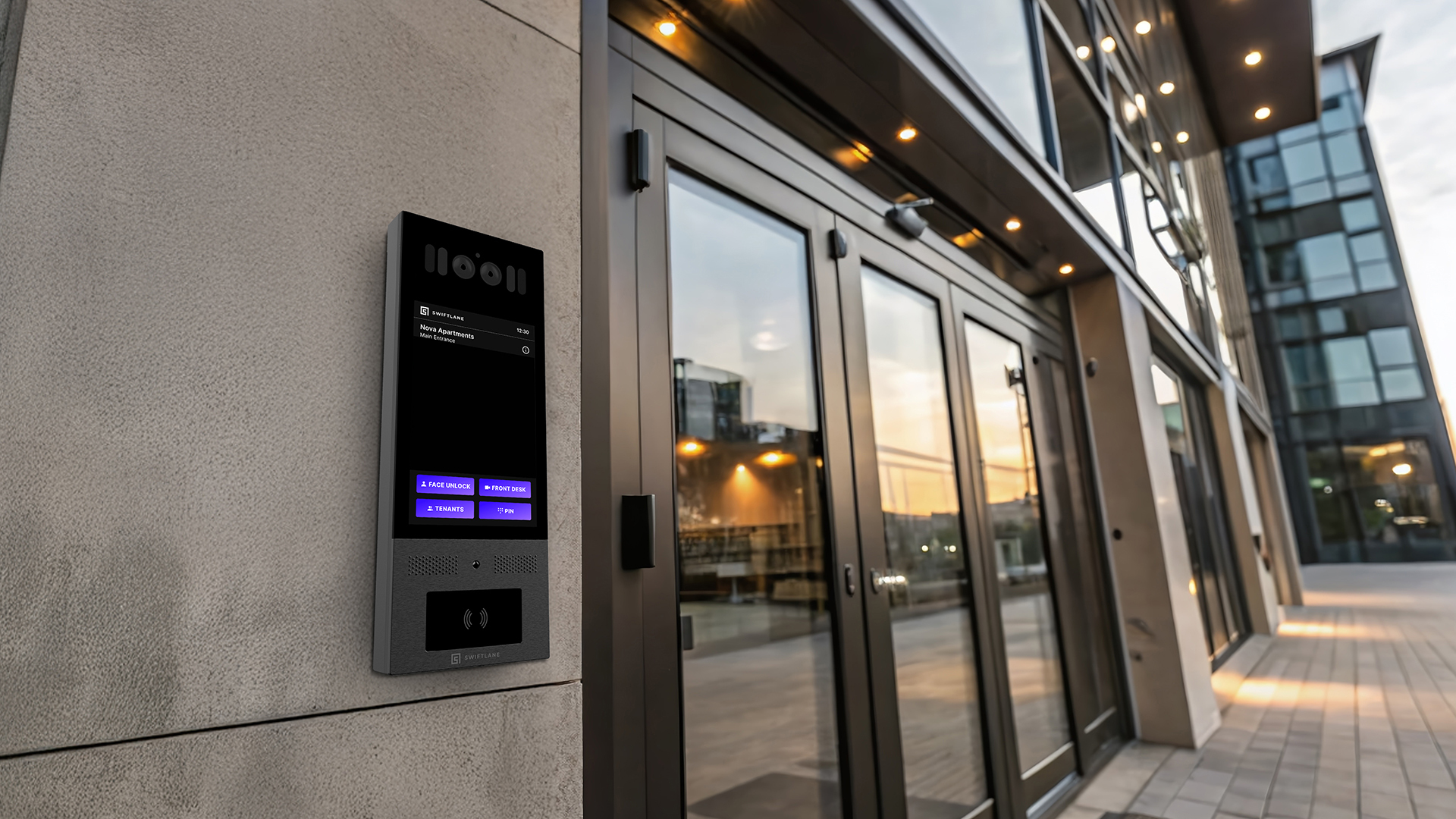
Swiftlane is designed around unified access workflows, combining cloud-based access control, mobile unlock, facial recognition, video intercom, and visitor management into a single platform.
This reduces fragmentation across tools and eliminates the need to manage multiple disconnected systems.
In practice, this matters because most operational failures happen at the edges:
- Vendor coordination breakdowns
- Fragmented credential systems
- Manual overrides across buildings
By centralizing these workflows, teams reduce operational overhead and improve consistency across portfolios.
Talk with a Swiftlane specialist to review your property’s access requirements, compare deployment options, and receive pricing based on your building type and operational needs.
FAQs
What is a cloud-based access control system?
A cloud-based access control system allows property managers to manage building access remotely through a centralized dashboard. Instead of relying on on-site servers or manual programming, updates happen in real time through the cloud. This makes it easier to manage access across single or multi-building portfolios.
How is it different from on-prem systems?
On-prem systems rely on local servers and require physical or on-site configuration changes for updates. Cloud systems, by contrast, allow remote administration, faster credential changes, and centralized visibility across locations.
What happens if the internet goes down?
Most modern systems are designed with local failover capabilities, so doors continue to function even during outages. But, remote updates and real-time monitoring may be temporarily limited until connectivity is restored.
Is mobile access required?
No, mobile access is optional rather than mandatory in most systems. Many properties use a hybrid setup that includes mobile credentials, key cards, PINs, and fobs to ensure access reliability across different user preferences.
How much does it cost?
Costs depend on the hardware, installation complexity, and the software subscription model. A reasonable planning range is about $500 to $2,000 per door installed, with recurring software fees on top. In many cases, software subscriptions are priced per door or per unit, often ranging from $5 to $15 per unit per month, depending on the vendor, features, and deployment scale.
Can cloud-based access control scale across multiple buildings?
Yes, most cloud systems are designed for portfolio-level management, allowing administrators to manage multiple properties from a single dashboard. This becomes especially important as portfolios grow and operational consistency becomes harder to maintain manually.
How secure are cloud-based access control systems?
Security includes encrypted communications, role-based access controls, and detailed audit logs. In practice, cloud systems can offer stronger visibility than traditional setups because activity is tracked centrally and in real time.
What credentials are supported?
Most systems support a combination of mobile credentials, RFID cards, PIN codes, and sometimes biometric options like facial recognition. We’ve seen that hybrid credential setups tend to perform best in real-world residential environments.
How long does implementation take?
Implementation timelines vary depending on retrofit complexity, door count, and building type. Simple installations may take a few days per building, while larger or retrofit-heavy projects can take several weeks.
What should property managers prioritize when choosing a system?
The priority should be operational reliability rather than feature lists. In our experience, the best systems are the ones that reduce daily workload, integrate cleanly into existing workflows, and remain consistent under real operational pressure.
Need More Info?
Still have questions about cloud based access control systems? Contact a Swiftlane expert to navigate your options and the best solution.


