


A keyless entry system for buildings is an electronic access control solution that replaces traditional metal keys with digital credentials such as mobile apps, smart cards, or PIN codes. The system authenticates user permissions at a door reader and signals an electronic lock to grant access.
How We Evaluated This Guide
This guide is built on published standards, model codes, and documented product capabilities rather than vendor marketing claims. We reviewed:
- The Security Industry Association’s Open Supervised Device Protocol (OSDP) standard for reader-to-controller communication
- Egress and electrically locked door provisions in the International Building Code (IBC) and NFPA 101 Life Safety Code
- Published locksmith pricing from Angi as a market ballpark for traditional key costs
- Swiftlane’s public product data sheets for platform-specific claims
Code requirements vary by jurisdiction and by door. This guide offers general planning considerations. Qualified installers and the local Authority Having Jurisdiction (AHJ) make final decisions on locking hardware and egress.
Key Takeaways
- Keyless entry systems replace metal keys with credentials such as smartphones, smart cards, fobs, and PINs, all managed through software instead of physical key control.
- Most buildings perform best with more than one credential type. A mobile-first setup with card or PIN backup covers residents, staff, and visitors without lockout gaps.
- System architecture matters as much as the credential. Cloud-managed, on-premises, and standalone systems differ in remote management, audit logging, and behavior during network outages.
- Revoking access in software takes seconds. Recovering a lost metal key often means rekeying the lock.
- Doors that serve as emergency exits need locking hardware coordinated with the local AHJ before installation.
- Costs scale with door count, existing hardware, wiring, and integrations, not a flat per-system price.
Table of Contents
- What Is a Keyless Entry System for Buildings?
- How Keyless Entry Works at the Door
- Keyless Credential Comparison: Mobile vs. Cards vs. PINs vs. Face Recognition
- System Architecture: Cloud-Managed vs. Legacy On-Premises vs. Standalone
- Keyless Entry by Building Type
- Life-Safety Code Coordination and Emergency Egress
- Budgeting and Implementation Complexity Tiers
- Planning a Keyless Entry Deployment: 4-Step Checklist
- Why Choose Swiftlane for Keyless Building Access
- Frequently Asked Questions
What Is a Keyless Entry System for Buildings?
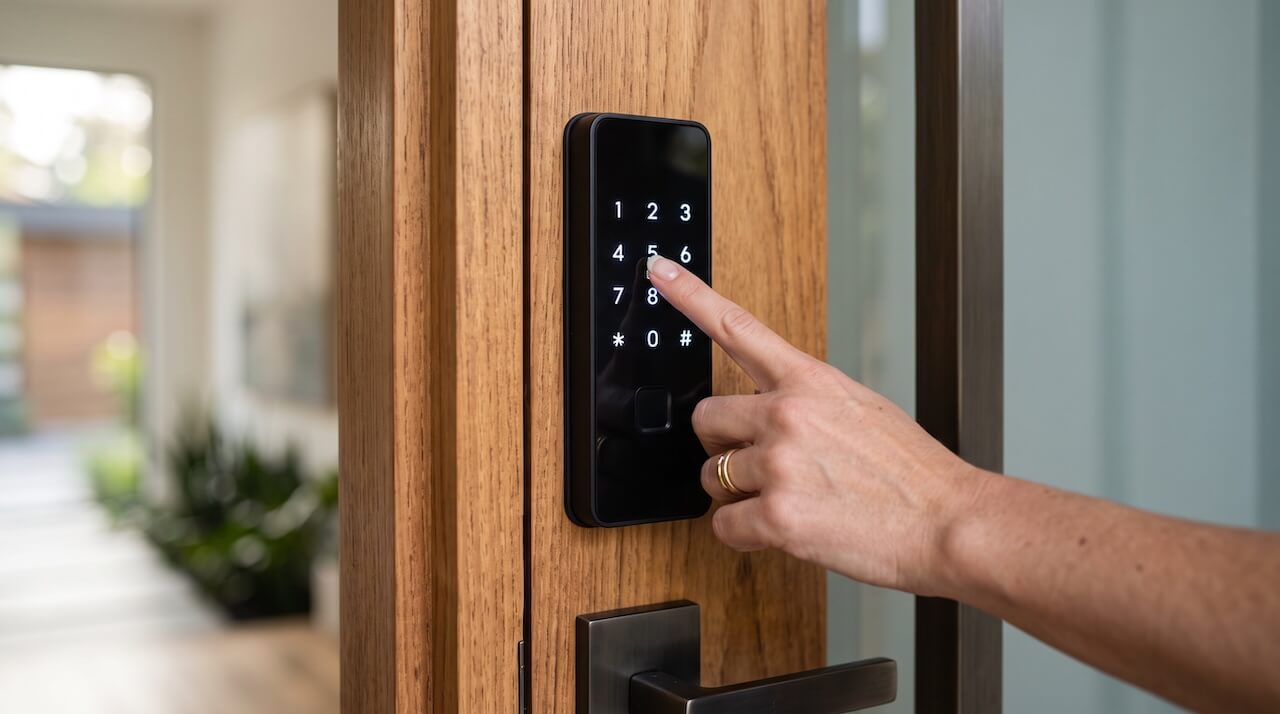
A keyless entry system for buildings controls who can open which doors, and when, using digital credentials instead of metal keys. Residents, employees, tenants, and approved visitors unlock doors with a smartphone, smart card, fob, or PIN. Property staff manage those permissions from software.
These systems can cover nearly every controlled opening in a property:
- Main entrances and lobbies
- Parking garages and vehicle gates
- Elevators and floor access
- Package rooms, amenity spaces, and shared facilities
- Office suites, staff areas, and utility rooms
The term “keyless entry” first became common with automotive remotes. In buildings, it refers to electronic access control systems built to manage many users across many doors.
What Sets Building Keyless Entry Apart from Consumer Smart Locks
A single smart lock secures one door for one household. A building system has to do more:
- Multi-door management: Control every entrance, gate, and shared space from one platform instead of lock by lock.
- Audit logs: Record each access event with the credential used, the door, and the time.
- Role-based schedules: Residents, staff, vendors, and visitors get different doors and different hours.
- Electrified door hardware: The system releases electric strikes, magnetic locks, and other electrified hardware on commercial-grade doors.
- Remote provisioning and revocation: With cloud-based access control, staff can add or remove access without visiting the property.
Many properties are moving from brass keys and on-premises access servers to cloud-managed platforms for exactly these reasons.
The Cost of Managing Metal Keys
Physical keys create recurring work: lost keys, keys not returned at move-out or employee departure, untrackable copies, and rekeying to restore security. Angi’s locksmith pricing guide puts a professional rekey of a standard lock at about $50 to $130, and general locksmith service for a small business with 6 to 12 locks at roughly $300 to $800. These are general market ballparks, and actual costs vary by lock type and location.
Keyless systems shift that work into software. When a credential is lost, or someone moves out, staff deactivate it from the dashboard, and the door hardware stays as-is.
How Keyless Entry Works at the Door
Every keyless entry system follows the same basic sequence, whatever the credential:
- Credential presentation: A user taps a smartphone, presents a smart card or fob, or enters a PIN at the door reader.
- Reader transmission: The reader captures the credential data and sends it to a door controller.
- Controller authorization: The controller checks the credential against stored permissions, schedules, and door rules.
- Lock release: If access is approved, the controller momentarily releases the door lock and records the event.
The connection between reader and controller matters more than most buyers expect. Legacy Wiegand wiring sends credential data unencrypted, while the Open Supervised Device Protocol (OSDP) supports an optional encrypted Secure Channel mode when both reader and controller are configured for it. The key fob systems guide covers credential security in more depth.
At the lock end, the controller drives an electric strike, magnetic lock, or other electrified hardware. The right type depends on the door, the frame, and egress requirements, as covered in the door access control guide.
In cloud-managed systems, controllers can keep a local copy of permissions so doors keep working if the internet connection drops. The System Architecture section compares how cloud, on-premises, and standalone systems handle outages.
Keyless Credential Comparison: Mobile vs. Cards vs. PINs vs. Face Recognition
The credential is what users carry, tap, or type at the door. Each type balances security, convenience, and admin work differently, and most properties end up supporting more than one.
| Credential Type | Technology | Security Level | Admin Overhead | Best Fit |
| Mobile smartphone credential | Bluetooth Low Energy (BLE) and NFC | High (protected by the phone’s own lock screen) | Low (issued and revoked remotely) | Residents, office staff, hybrid workplaces |
| Smart card or fob | 13.56 MHz with encryption such as AES-128 | High when encrypted | Low to moderate (physical issuance and returns) | Users who prefer physical media, shared staff areas |
| Keypad PIN code | Numeric keypad | Moderate (codes can be shared) | Minimal | Visitors, couriers, contractors, after-hours vendors |
| Face recognition (optional) | Optical camera with anti-spoofing (varies by vendor) | High | Moderate (consent and enrollment) | Busy lobbies, touchless entry, hands-full users |
1. Mobile Smartphone Credentials
Mobile credentials live in an access app on the user’s phone. Users unlock doors with a tap or by holding the phone near the reader over Bluetooth or NFC. Because the phone has its own lock screen, a lost device is harder to misuse than a lost key or card. Staff can issue access before move-in or a first workday and revoke it the moment someone leaves, with nothing to collect.
2. Smart Cards and Fobs
Cards and fobs remain the most familiar physical credential. Modern 13.56 MHz smart cards support encrypted data, while older 125 kHz proximity credentials transmit unencrypted IDs that inexpensive handheld devices can copy. The key fob systems guide explains the difference in detail. Cards and fobs work well as a backup for users without smartphones or for shared staff roles.
3. Keypad PIN Codes
PINs require no hardware on the user’s side, making them practical for people who only need temporary access. You can issue time-limited codes to guests, delivery couriers, cleaners, and maintenance contractors, set to expire after a visit or a set window. The tradeoff is sharing: a PIN works for whoever knows it, so PINs fit temporary access better than permanent credentials.
4. Face Recognition and Contactless Entry (Optional)
A face recognition reader turns a door into a contactless entry system: users walk up, and the door unlocks without a phone, card, or keypad. That helps in busy lobbies and for users carrying packages or equipment. Anti-spoofing quality varies by vendor, so buyers should ask how a system detects photos, screens, and masks.
Face recognition is typically offered as an opt-in credential, and some states regulate how biometric data is collected and stored, including Illinois’s Biometric Information Privacy Act (BIPA), Texas’s Capture or Use of Biometric Identifier Act (CUBI), and Washington’s RCW 19.375. These laws set notice, consent, and retention requirements, so properties should review them with legal counsel before enrolling users.
5. The Multi-Technology Reader Advantage
Readers that accept mobile credentials, cards, and PINs at the same door prevent lockouts when someone forgets a phone or loses a card. A keyless access system built on multi-technology readers lets each user group get the credential that fits it, without separate hardware for each.
System Architecture: Cloud-Managed vs. Legacy On-Premises vs. Standalone
Two buildings can use the same credentials and readers and still run very differently. The architecture behind the doors decides where permissions are managed, how quickly changes reach the door, and what happens when the network goes down.
| Architecture | Where Permissions Live | How It’s Managed | Outage Behavior | Best Fit |
| Cloud-managed | Cloud platform, with a local copy on door controllers | Web and mobile dashboard from anywhere | Doors can keep working from the local copy; remote changes sync when the connection returns | Apartments, offices, mixed-use buildings, multi-site portfolios |
| Legacy on-premises | On-site server and door controllers | Software installed on a local computer | Unaffected by internet outages, but tied to the health of the on-site server | Sites with strict offline network requirements |
| Standalone electronic locks | Each lock stores its own codes | Programmed at each door | Unaffected by networks; depends on lock batteries | Single private offices, storage and utility rooms |
1. Cloud-Managed Access Control
Cloud-based keyless entry moves administration into a web and mobile dashboard. Staff can add a new resident or employee, grant a contractor access for one afternoon, or revoke a lost credential without being on site. Every door across one property or a full portfolio shows up in the same system, with a single audit trail.
Well-designed cloud-based keyless entry systems store permissions on door controllers and in the cloud, so authorized users can keep unlocking doors if the internet connection drops. Remote changes and new event logs sync once the connection returns.
When comparing a keyless entry software solution, buyers should check for:
- Remote credential issuance and instant revocation
- Local permission storage on door controllers for outage resilience
- Support for mobile credentials, cards, and PINs on the same reader
- Searchable audit logs and access reports
- Integrations with video intercom, visitor management, and common property management software
The best cloud-based access control systems guide compares platforms in more depth.
2. Legacy On-Premises Systems
Traditional systems run on a dedicated server or computer at the property, with management software installed locally. They don’t depend on an internet connection, which suits some high-security or isolated networks. The trade-offs are maintenance and reach: someone must keep the server patched and backed up, and changes generally must be made on-site or over a VPN.
3. Standalone Electronic Locks
Standalone locks combine the reader and lock in one battery-powered unit, with codes or cards programmed at each door. They are inexpensive for a single door, but they offer no central dashboard and limited or no shared audit trail. Every change means visiting the lock. They work better for low-traffic doors like a private office or storage room than a main entrance.
As a keyless entry management platform grows to cover more doors, standalone locks are usually the first hardware to be replaced.
Keyless Entry by Building Type
The core technology is the same across property types, but priorities change with the people coming and going. Here’s how keyless entry typically fits each type, with links to guides that cover each one in depth.
Apartment and Multifamily Buildings
Apartment buildings use keyless entry to manage high resident turnover, frequent deliveries, and shared amenities. Mobile credentials can be issued before move-in and revoked at move-out, and a video intercom at the front door lets residents verify and admit visitors remotely.
The guide to keyless entry systems for apartments covers resident workflows and amenity access, and the apartment intercom system with door release guide explains how visitor verification ties into the entry door.
Commercial Offices
Office buildings focus on employee schedules, visitor check-in, and separating suites, floors, and staff-only areas. Role-based permissions let one system handle tenants, cleaning crews, and after-hours vendors with different access windows. The commercial keyless door entry systems guide covers office and multi-tenant buildings, and smaller suites can compare operational benefits in keyless entry systems for businesses.
Mixed-Use Properties
Mixed-use buildings combine residential floors with ground-floor retail or office space, often behind the same lobby. A single platform can give residents 24/7 access to their floors and amenities while limiting commercial tenants and their customers to specific doors and business hours. Residential portions follow the same patterns as apartment keyless entry, while commercial portions follow commercial door-entry practices.
Condos and HOA Communities
Condo associations and HOAs manage access on behalf of owners, often with a volunteer board and a management company sharing responsibility. Keyless entry helps them control common areas like lobbies, pools, gyms, and gates, and keeps a record of who used them. The guide to key fob systems for condos covers board governance and common-element access.
Life-Safety Code Coordination and Emergency Egress
Keyless entry controls who can get in. Building codes control how people get out. Any door on an exit path needs locking hardware that still allows fast, reliable egress in an emergency, so life-safety review comes before hardware selection, not after installation.
Start with the local Authority Having Jurisdiction (AHJ), usually the building department or fire marshal. The AHJ decides which model code edition applies, what local amendments exist, and whether a proposed door setup is approved.
A few principles apply on most projects:
- Free egress from inside: Occupants generally must be able to exit without a key, card, or special knowledge, whatever the credential used to enter.
- Magnetic locks get extra scrutiny: Maglocks on egress doors typically follow the sensor-release provisions in the International Building Code (IBC) and NFPA 101 Life Safety Code, which cover how the lock releases for exiting occupants, on fire alarm activation, and on power loss.
- Fail-safe vs. fail-secure is a door-by-door decision: Whether a lock unlocks or stays locked when power is lost depends on the door’s role, its hardware, and AHJ approval.
The apartment intercom system with door release guide covers how release hardware works at entry doors, and the door access control guide explains electrified lock types and door preparation. For cabling and power supplies, see the installer guide to fob door installation.
Budgeting and Implementation Complexity Tiers
There’s no flat price for a keyless entry system. Cost depends on how many doors are involved, what hardware is already in place, and how much new wiring and integration the project needs. A complexity tier is more useful for early budgeting than any single number.
The main cost drivers are:
- Door count: Each controlled opening typically needs a reader, a controller connection, and compatible lock hardware.
- Existing hardware: Doors with working electrified locks and power cost far less to convert than doors with mechanical locks only.
- Wiring paths, power availability, and door construction: These drive most installation labor. The fob door installation guide covers cabling and power, and the door access control guide covers lock options by door type.
- Integrations: Elevators, vehicle gates, video intercoms, and fire alarm coordination add equipment and vendor coordination.
- Upfront vs. ongoing costs: Cloud-managed systems usually pair hardware and installation with a recurring software subscription, while legacy systems tend to carry larger upfront and maintenance costs.
| Complexity Tier | Typical Scope | Primary Cost Drivers | Planning Notes |
| Low: single-door retrofit | One entrance with existing electrified lock and power | Reader, controller, software subscription | Lowest upfront cost; minimal door work |
| Moderate: building modernization | A few perimeter and common-area doors, some with mechanical locks only | New electrified locks, wiring, power supplies | Door construction and wiring paths drive labor |
| High: full property or campus | Many doors plus gates, elevators, and glass entrances | Magnetic locks, gate and elevator integration, egress devices, fire alarm coordination | Highest capital cost; requires multi-vendor and AHJ coordination |
For a property-specific estimate based on door count and hardware, try Swiftlane’s Estimate Generator.
Planning a Keyless Entry Deployment: 4-Step Checklist
A smooth rollout starts with planning the doors, infrastructure, and policies before ordering any hardware. These four steps cover the essentials.
Step 1: Audit Doors and Existing Hardware
List every opening that needs control: entrances, gates, garages, elevators, amenity rooms, and staff areas. For each one, note the current lock, whether it’s on an exit path, and how often it’s used. Doors on egress routes should go to the local AHJ early for review, since their requirements can shape the hardware choice.
Step 2: Confirm Wiring, Power, and Network Readiness
Wiring paths, power availability, and door construction drive most installation labor, so an installer should walk the property before final pricing. Confirm that each controller location has a reliable network connection, and that the system stores permissions locally so doors keep working during an internet outage. The fob door installation guide covers what installers typically check.
Step 3: Define Credential and Access Policies
Decide who gets access to which doors and when: residents or employees, staff, vendors, delivery couriers, and visitors. Then match each group to a credential. Mobile credentials with card or PIN backup work for most permanent users, while time-limited PINs fit temporary access. If you offer face recognition, plan opt-in enrollment and review applicable biometric privacy laws first.
Step 4: Set Onboarding and Offboarding Workflows
Write down who issues credentials, how quickly access is revoked when someone moves out or leaves, and how lost credentials are handled. Syncing the access system with property management or HR software can automate much of this. Before launch, tell users how to set up their credentials and who to contact for help.
Why Choose Swiftlane for Keyless Building Access
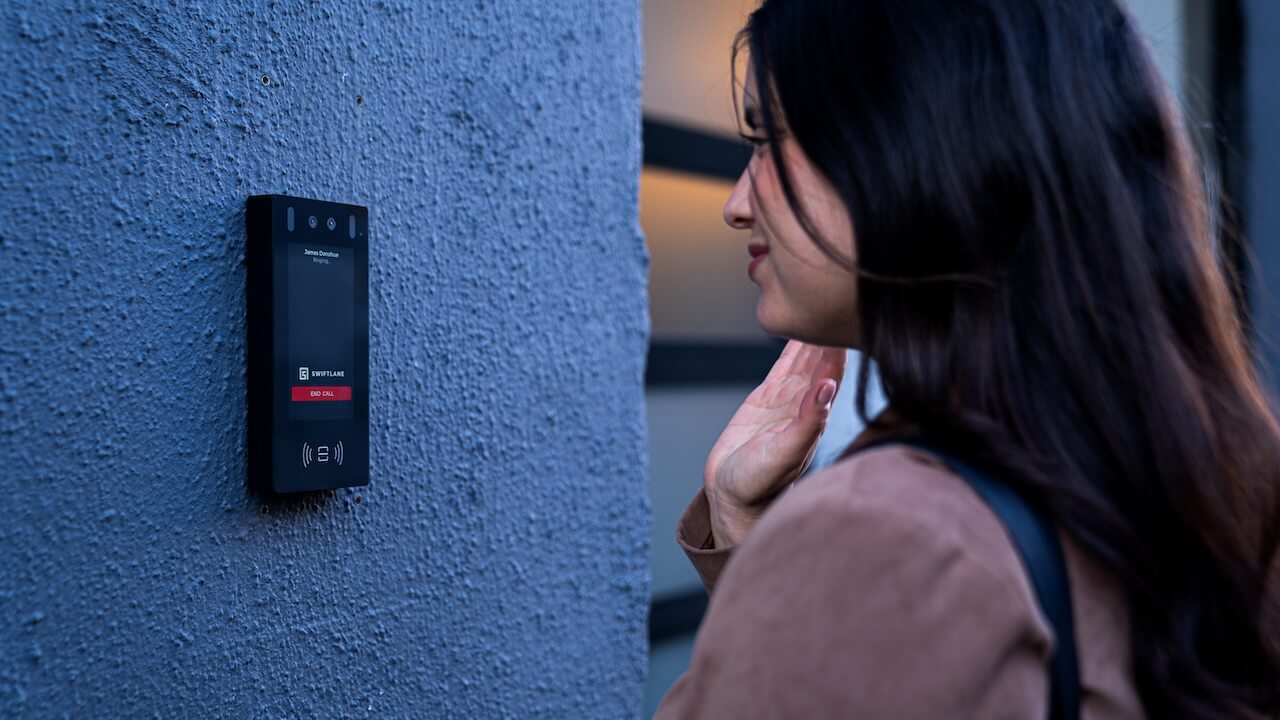
Swiftlane combines keyless entry, video intercom, and visitor management in one cloud platform, so staff can manage every door from a single dashboard.
- One platform for access and visitors: Cloud-based access control, video intercom, and visitor management run in the same system, with one audit trail across entrances, amenities, and common areas.
- Credentials for every user group: Residents and staff can unlock doors with a smartphone, smart card, or fob. Visitors and vendors can receive time-limited PINs. Optional face recognition adds touchless entry, with anti-spoofing that uses 2D and 3D depth data.
- Offline resilience at the door: The Swiftlane Access Control Unit (ACU) stores permissions locally and keeps doors working during internet outages, logging events on site and syncing them once the connection returns.
- Property management integrations: Swiftlane integrates with RealPage, Yardi, Entrata, AppFolio, and Buildium, so access can follow lease and resident changes.
- Built for privacy and security: Swiftlane’s face recognition platform is SOC 2 certified, and face enrollment is opt-in.
To see how Swiftlane fits a specific property, explore Swiftlane’s keyless access control system or request a keyless entry quote.
FAQs
How does a keyless entry system work?
A user presents a smartphone, smart card, fob, or PIN at the door reader. The reader sends the credential to a door controller, which checks it against stored permissions and schedules. If access is approved, the controller momentarily releases the door and logs the event.
What is the difference between cloud-based and on-premises keyless entry?
Cloud-based systems manage access through a web and mobile dashboard, so staff can update credentials from anywhere. On-premises systems run on a local server with installed software, which ties management to the property’s own network and requires on-site maintenance.
What happens to keyless entry systems during a power outage?
Many systems include battery backup power supplies that keep readers and controllers running through short outages. How each door behaves without power depends on whether its lock is configured fail-safe or fail-secure, a decision made door by door with approval from the local AHJ.
What happens to keyless entry if the internet goes down?
In cloud-managed systems designed with local storage, door controllers keep authorized credentials and schedules on site, so users can continue unlocking doors during an internet outage. Remote changes and new event logs sync once the connection returns.
Can keyless entry systems work with existing door locks?
Often, yes. Installers frequently retrofit existing doors by replacing the standard strike with an electric strike that releases the latch, keeping the existing lever or handle. Fire-rated doors and doors on exit paths need local AHJ review before you make changes.
How much does a keyless entry system cost?
Cost depends on door count, existing hardware, wiring, and integrations, not a flat price. A single-door retrofit with existing electrified hardware costs the least, while full-property projects with new locks, cabling, gates, or elevators cost the most. Cloud systems usually add a software subscription.
Ready to replace metal keys across a property? Get a ballpark with Swiftlane’s Estimate Generator, or request a keyless entry quote to plan a deployment with the Swiftlane team.
Upgrade Your Building Security
Get in touch with a Swiftlane specialist for more information on the best access control and video intercom solution for your building.


